Draft review requests for completed dumpster rental jobs
Every night, WebRun finds jobs completed that day in Starlight Software, checks that each customer hasn't received a review request in the past 90 days via Mailchimp, and queues a draft SMS review request in Twilio for your team to approve before any message reaches a customer.
- No credit card
- Under $0.01 per run
- Cancel anytime
What does WebRun do on every run?
The exact actions WebRun takes, in order - in plain language, so you can adjust anything.
-
WebRun signs in and gets to work
Opens
www.starlightsoftwaresolutions.comin a real browser with your saved login - no setup, no API keys. -
1
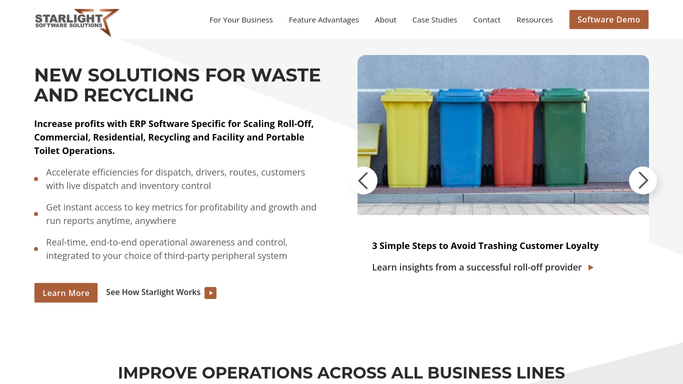
Starlight Software - find jobs completed today
starlightsoftwaresolutions.com How to Automate Starlight Software

WebRun opens Starlight Software to find jobs completed today. - Open Starlight Software and filter jobs to Completed status with a completion date of today
- Capture the customer name, mobile number, job address, and container size for each completed job
- Exclude any commercial or contract accounts that are opted out of review requests
Done when All eligible completed jobs from today are listed with customer contact details.
-
2
Mailchimp - check for recent review request contacts
mailchimp.com How to Automate Mailchimp
WebRun opens Mailchimp to check for recent review request contacts. - Check Mailchimp for any email campaigns or automations tagged Review Request sent to the same customer mobile or email in the past 90 days
- Remove any customers who already received a review request in that window
- Flag any customers not yet in Mailchimp so they can be added to the list for future campaigns
Done when The review request queue is de-duplicated against recent Mailchimp sends.
-
3
Twilio - queue draft SMS review request for approval
twilio.com How to Automate Twilio
WebRun opens Twilio to queue draft SMS review request for approval. - Compose a short, friendly SMS for each eligible customer thanking them for their business and including a link to your Google review page
- Queue each message as a Twilio draft. Do not send anything.
- Prepare a summary for your team listing how many drafts are queued and which customers are included
Done when Draft SMS review requests are queued in Twilio for every eligible completed job, ready for team approval.


How can I automatically request Google reviews from dumpster rental customers after job completion?
Every night, WebRun finds completed dumpster rental jobs in Starlight Software, checks Mailchimp to skip customers contacted in the past 90 days, and queues draft SMS review requests in Twilio for your team to approve. No message reaches any customer until a human releases the draft.
- Every completed job generates a review request draft the same evening
- Customers are never contacted twice within 90 days thanks to Mailchimp de-duplication
- No SMS reaches any customer without explicit team approval
Built for roll-off dumpster rental companies · waste haulers · dumpster rental owner-operators
How is each run configured?
Secure by default
Connect once, stays signed in
WebRun signs in once and keeps each session in a persistent environment, so every run picks up right where it left off.
Every action is checked against this policy before it runs.
Questions, answered
Will it text customers without my team approving first?
No. Every review request is queued as a Twilio draft. Nothing is sent to any customer until your team reviews the queue and releases the messages manually.
How does it avoid sending a review request to the same customer twice?
WebRun checks Mailchimp for any review request contact sent to that customer in the past 90 days. Customers in the recency window are automatically removed from the draft queue.
What Google review link does the SMS include?
You provide your Google Business review URL once during setup. WebRun uses that same URL in every draft until you update it.
Related templates
Put this on autopilot.
Turn it on in minutes - or have our team set it up for you.