Track regulatory and permit compliance deadlines for your dumpster fleet
Every Monday, WebRun reads state and local permit deadline dates from a compliance Google Sheet, cross-references which trucks and routes are affected in Starlight Software, and posts a prioritized compliance alert to a Telegram group so your operations manager knows exactly what needs action this week.
- No credit card
- Under $0.01 per run
- Cancel anytime
What does WebRun do on every run?
The exact actions WebRun takes, in order - in plain language, so you can adjust anything.
-
WebRun signs in and gets to work
Opens
docs.google.com/spreadsheetsin a real browser with your saved login - no setup, no API keys. -
1
Google Sheets - read regulatory and permit deadlines
google.com How to Automate Google Sheets

WebRun opens Google Sheets to read regulatory and permit deadlines. - Open the compliance deadline Google Sheet
- Read every row: deadline type, deadline date, jurisdiction, associated vehicle or permit number
- Flag all deadlines falling within the next 30 days and sort by urgency
Done when All upcoming compliance deadlines within 30 days are identified and sorted.
-
2
Starlight Software - identify affected trucks and routes
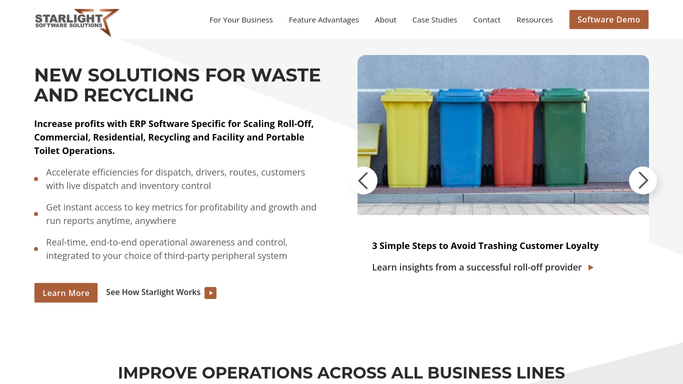
starlightsoftwaresolutions.com How to Automate Starlight Software
WebRun opens Starlight Software to identify affected trucks and routes. - Open Starlight Software and check which vehicles and routes are currently active
- Match each compliance deadline to the vehicle or service area it governs
- Note whether the affected truck has any jobs scheduled near or after the deadline date
Done when Each upcoming deadline is matched to an active truck or route with scheduled jobs.
-
3
Telegram - post a prioritized compliance alert
telegram.org How to Automate Telegram
WebRun opens Telegram to post a prioritized compliance alert. - Format a compliance alert listing each deadline with the due date, deadline type, jurisdiction, and affected truck or route
- Put the most urgent items within 7 days at the top
- Post the alert to the operations manager Telegram group
Done when The compliance alert is posted to Telegram with all deadlines sorted by urgency.


How can I automatically track regulatory and permit compliance deadlines for my dumpster rental fleet?
Every Monday, WebRun reads upcoming permit and regulatory deadlines from a Google Sheet, matches each one to active trucks and routes in Starlight Software, and posts a prioritized compliance alert to Telegram. Deadlines within 7 days appear at the top so your operations manager knows exactly what to act on first.
- Every permit and regulatory deadline within 30 days surfaces every Monday morning
- Most urgent deadlines within 7 days appear at the top of the alert
- No compliance deadline tied to an active truck or route slips through unnoticed
Built for roll-off dumpster rental companies · waste haulers · dumpster fleet operations managers
How is each run configured?
Secure by default
Connect once, stays signed in
WebRun signs in once and keeps each session in a persistent environment, so every run picks up right where it left off.
Every action is checked against this policy before it runs.
Questions, answered
Does it file any permits or submit anything to regulators?
No. WebRun only posts an internal Telegram alert to your team. All permit filings and regulatory submissions are handled by your team after reviewing the alert.
How do we add new regulatory deadlines to track?
Add a new row to the compliance Google Sheet with the deadline type, date, jurisdiction, and vehicle or permit number. WebRun picks it up on the next Monday run automatically.
What if a deadline was already resolved or an extension was granted?
Mark the row in the Google Sheet with a status of Resolved or Extended and WebRun will skip it on the next run. Keeping the sheet current is all that's needed.
Related templates
Put this on autopilot.
Turn it on in minutes - or have our team set it up for you.