Kick off onboarding for new dumpster rental accounts
When a new commercial account is created in Starlight Software, WebRun reads the account details and first order, checks Stripe to confirm any deposit payment has cleared, drafts a welcome email in Gmail with the account summary and first delivery date, and queues the draft for your account manager to review and send.
- No credit card
- Under $0.01 per run
- Cancel anytime
What does WebRun do on every run?
The exact actions WebRun takes, in order - in plain language, so you can adjust anything.
-
WebRun signs in and gets to work
Opens
www.starlightsoftwaresolutions.comin a real browser with your saved login - no setup, no API keys. -
1
Starlight Software - read new commercial account details
starlightsoftwaresolutions.com How to Automate Starlight Software

WebRun opens Starlight Software to read new commercial account details. - Open Starlight Software and locate the newly created commercial account
- Read the company name, primary contact name, email address, billing address, contracted container sizes, and first scheduled delivery date
- Note any special access requirements or site instructions on the account record
Done when All new account details and first job information are captured from Starlight.
-
2
Stripe - confirm deposit payment has cleared
stripe.com How to Automate Stripe
WebRun opens Stripe to confirm deposit payment has cleared. - Search Stripe for a payment matching the new customer's name or email
- Confirm whether the deposit payment shows as Succeeded or is still Pending
- If no payment is found or the deposit is still Pending, flag the account for the account manager to follow up before the first delivery
Done when The deposit payment status is confirmed in Stripe and the account is flagged if payment is outstanding.
-
3
Gmail - draft welcome email for account manager review
gmail.com How to Automate Gmail
WebRun opens Gmail to draft welcome email for account manager review. - Draft a professional welcome email to the primary contact with their account summary, first delivery date, site instructions, and a contact number for dispatch
- If the deposit is still pending, add a note to the draft reminding the account manager to confirm payment before sending
- Save the email as a Gmail draft. Do not send it.
Done when A Gmail welcome draft is ready for every new commercial account, with a payment flag where applicable, awaiting account manager review.
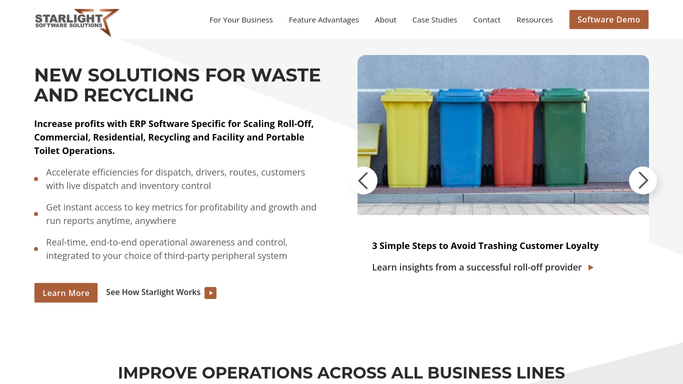


How can I automatically kick off onboarding for new commercial dumpster rental accounts?
When a new commercial account is created in Starlight Software, WebRun reads the account and first job details, checks Stripe to confirm the deposit has cleared, and drafts a professional welcome email in Gmail for your account manager to review. Nothing is sent to the customer until a human approves the draft.
- Every new commercial account gets a polished welcome draft within minutes of creation in Starlight
- Deposit status is confirmed in Stripe before any welcome email can be sent
- Account managers start onboarding calls with a complete account summary already drafted
Built for roll-off dumpster rental companies · waste haulers with commercial contracts · dumpster rental account managers
How is each run configured?
Secure by default
Connect once, stays signed in
WebRun signs in once and keeps each session in a persistent environment, so every run picks up right where it left off.
Every action is checked against this policy before it runs.
Questions, answered
Will it send the welcome email to the customer automatically?
No. The welcome email is saved as a Gmail draft only. Your account manager reviews the draft, confirms the deposit status in Stripe, and then sends it manually.
What if the deposit payment has not yet cleared in Stripe?
WebRun flags the draft with a note for the account manager to confirm payment before the first delivery. The draft is not sent and no delivery is scheduled without that check.
Does it work for residential as well as commercial new accounts?
This workflow is optimized for commercial accounts that require a deposit check. For residential one-time rentals, a simpler booking confirmation workflow fits better.
Related templates
Put this on autopilot.
Turn it on in minutes - or have our team set it up for you.