Draft contract renewal reminders for expiring dumpster rental accounts
Every Monday, WebRun reads commercial contract end dates from Starlight Software and flags accounts expiring within 60 days, looks up each account's trailing 12-month revenue in QuickBooks to rank them by value, and drafts a renewal outreach email in Gmail for each one, sorted highest value first, ready for your team to review and send.
- No credit card
- Under $0.01 per run
- Cancel anytime
What does WebRun do on every run?
The exact actions WebRun takes, in order - in plain language, so you can adjust anything.
-
WebRun signs in and gets to work
Opens
www.starlightsoftwaresolutions.comin a real browser with your saved login - no setup, no API keys. -
1
Starlight Software - find contracts expiring within 60 days
starlightsoftwaresolutions.com How to Automate Starlight Software

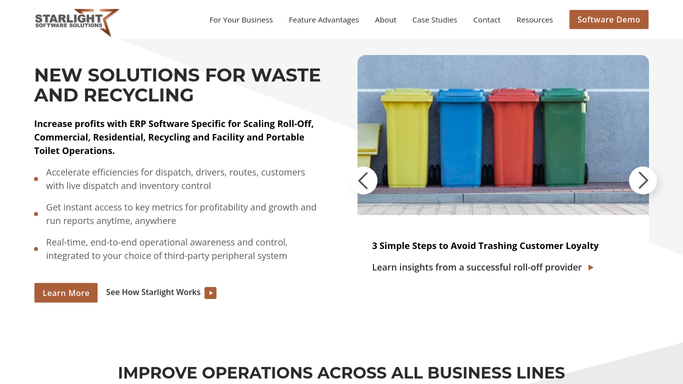
WebRun opens Starlight Software to find contracts expiring within 60 days. - Open Starlight Software and filter commercial accounts by contract end date
- List all accounts whose contract expires within the next 60 days
- Capture the customer name, email, contract end date, container sizes on contract, and account manager
Done when All commercial accounts with contracts expiring within 60 days are listed with contact details.
-
2
QuickBooks - look up trailing revenue per account
- Open QuickBooks and search each account by customer name
- Read the trailing 12-month revenue for each account
- Rank the renewal list from highest to lowest annual value
Done when Each expiring account is ranked by its trailing 12-month revenue from QuickBooks.
-
3
Gmail - draft renewal outreach emails ranked by account value
gmail.com How to Automate Gmail
WebRun opens Gmail to draft renewal outreach emails ranked by account value. - Draft a professional renewal outreach email for each account, referencing the contract end date and current service details from Starlight
- Order the Gmail drafts starting with the highest-value account
- Save each as a Gmail draft. Do not send anything.
Done when A Gmail renewal draft exists for every expiring account, ordered by revenue priority, ready for team review.

How can I automatically track and follow up on expiring dumpster rental contracts?
Every Monday, WebRun finds commercial dumpster rental contracts expiring within 60 days in Starlight Software, looks up each account's trailing 12-month revenue in QuickBooks to rank them by value, and drafts renewal outreach emails in Gmail starting with the highest-value account. Nothing is sent until your team reviews each draft.
- No commercial contract expires without a renewal draft queued 60 days in advance
- Highest-value accounts appear first in the Gmail draft queue for prioritized outreach
- Accounts already renewed or cancelled in Starlight are never included in the draft queue
Built for roll-off dumpster rental companies · waste haulers with commercial contracts · dumpster rental account managers
How is each run configured?
Secure by default
Connect once, stays signed in
WebRun signs in once and keeps each session in a persistent environment, so every run picks up right where it left off.
Every action is checked against this policy before it runs.
Questions, answered
Will it email commercial customers without my team reviewing first?
No. Every renewal outreach is saved as a Gmail draft only. Your team decides which drafts to send and when, so high-touch accounts get a personal review before anything is sent.
What if a contract was already renewed or cancelled in Starlight?
WebRun reads the live contract status in Starlight Software on every run. Accounts with a renewed or cancelled contract are excluded automatically from the draft queue.
How is the renewal message personalized?
Each draft references the specific contract end date, container sizes currently on service, and the customer's name from Starlight. You can also give WebRun a sample renewal letter to match your tone.
Related templates
Put this on autopilot.
Turn it on in minutes - or have our team set it up for you.