Draft follow-up emails for open dumpster rental quotes
Every morning, WebRun opens Starlight Software, finds quotes that are still open after two days, drafts a short follow-up email for each customer in Gmail, and logs the queue to Google Sheets so you can review and send when ready.
- No credit card
- Under $0.01 per run
- Cancel anytime
What does WebRun do on every run?
The exact actions WebRun takes, in order - in plain language, so you can adjust anything.
-
WebRun signs in and gets to work
Opens
www.starlightsoftwaresolutions.comin a real browser with your saved login - no setup, no API keys. -
1
Starlight Software - find open quotes past two days
starlightsoftwaresolutions.com How to Automate Starlight Software

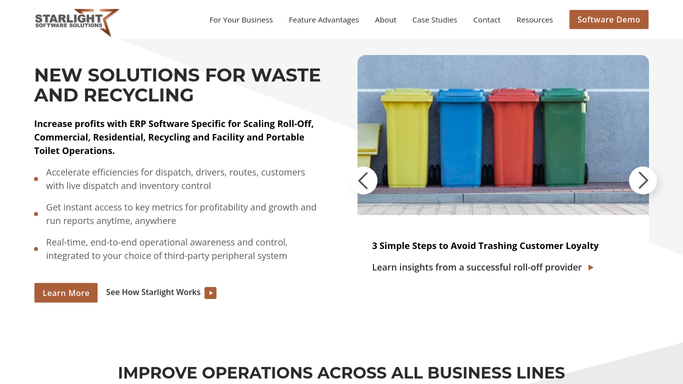
WebRun opens Starlight Software to find open quotes past two days. - Open Starlight Software and filter quotes by status Open
- Identify quotes where the created date is more than two days ago
- Capture the customer name, email, container size quoted, job address, and quoted price
Done when All open quotes older than two days are listed with their details.
-
2
Google Sheets - log the follow-up queue
google.com How to Automate Google Sheets
WebRun opens Google Sheets to log the follow-up queue. - Open the quote follow-up Google Sheet
- Log each quote with customer name, email, quote value, days open, and draft status
- Skip any quote already followed up this week
Done when The follow-up queue is recorded in the sheet with de-duplication applied.
-
3
Gmail - draft a follow-up for each quote
gmail.com How to Automate Gmail
WebRun opens Gmail to draft a follow-up for each quote. - For each quote in the queue, compose a short, friendly follow-up referencing the container size and job address
- Save each email as a Gmail draft. Do not send anything.
- Mark the draft status in Google Sheets as Drafted and awaiting review
Done when A Gmail draft exists for every open quote older than two days, ready for your review and send.


How can I automatically follow up on open dumpster rental quotes?
Every morning, WebRun opens Starlight Software and finds dumpster rental quotes open for more than two days. It drafts a personalized follow-up email in Gmail for each one and logs the queue to Google Sheets. Nothing is sent until a human reviews and approves each draft.
- No open quote goes quiet after two days without a follow-up draft ready
- Sales team reviews polished drafts instead of writing from scratch
- Already-closed quotes are skipped automatically from live Starlight status
Built for roll-off dumpster rental companies · waste haulers · dumpster rental owner-operators
How is each run configured?
Secure by default
Connect once, stays signed in
WebRun signs in once and keeps each session in a persistent environment, so every run picks up right where it left off.
Every action is checked against this policy before it runs.
Questions, answered
Will it send emails to customers without my approval?
No. WebRun saves every follow-up as a Gmail draft only. Nothing is sent until you open Gmail, review the message, and click Send yourself.
What does the follow-up email say?
A short, friendly note referencing the customer's specific container size and job address from Starlight. You can give WebRun a tone guide or a sample and it will match your voice.
What if a quote was already won or lost?
WebRun reads the live status in Starlight Software each morning, so any quote already closed, won, or declined is skipped automatically.
Related templates
Put this on autopilot.
Turn it on in minutes - or have our team set it up for you.