Get a daily digest of all active dumpster jobs
Every morning, WebRun opens Starlight Software, reads all active jobs grouped by status (Scheduled, In Progress, Pending Pickup, Overdue), summarizes the day's driver workloads, and posts a clean digest to your operations Slack channel.
- No credit card
- Under $0.01 per run
- Cancel anytime
What does WebRun do on every run?
The exact actions WebRun takes, in order - in plain language, so you can adjust anything.
-
WebRun signs in and gets to work
Opens
www.starlightsoftwaresolutions.comin a real browser with your saved login - no setup, no API keys. -
1
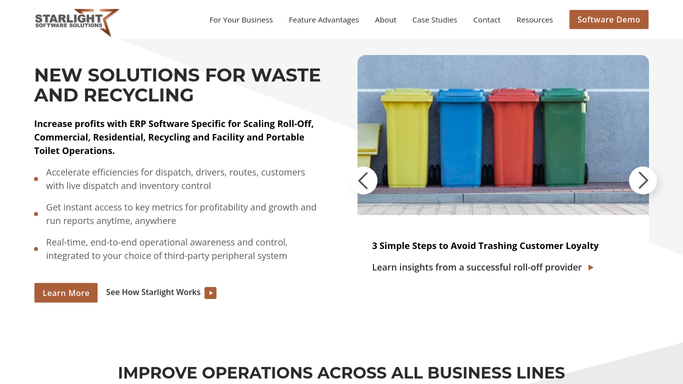
Starlight Software - read all active jobs and statuses
starlightsoftwaresolutions.com How to Automate Starlight Software

WebRun opens Starlight Software to read all active jobs and statuses. - Open Starlight Software and navigate to the live orders view
- Filter for all active jobs: Scheduled, In Progress, Pending Pickup, and Overdue
- Group jobs by status and by assigned driver or route
- Note any jobs flagged as overdue or unassigned
Done when All active jobs are read, grouped by status, and any overdue or unassigned jobs are flagged.
-
2
Slack - post the daily operations digest
slack.com How to Automate Slack
WebRun opens Slack to post the daily operations digest. - Format a digest with sections for each status group and a count per driver
- Lead with overdue and unassigned jobs so dispatch can act first
- Post the digest to the operations Slack channel
Done when The daily job-status digest is live in the operations Slack channel.

How can I get an automatic daily digest of all active dumpster rental jobs?
Every morning, WebRun reads all active roll-off jobs in Starlight Software, groups them by status and driver, and posts a structured digest to your operations Slack channel. Overdue and unassigned jobs appear at the top so dispatch can act before the first truck rolls out.
- Operations team starts every day with a complete, grouped job view in Slack
- Overdue and unassigned jobs surface first so dispatch acts before trucks leave
- No manual job-status check required before the morning huddle
Built for roll-off dumpster rental companies · waste haulers · dumpster rental dispatchers
How is each run configured?
Secure by default
Connect once, stays signed in
WebRun signs in once and keeps each session in a persistent environment, so every run picks up right where it left off.
Every action is checked against this policy before it runs.
Questions, answered
Does it message drivers or customers?
No. The digest is posted to an internal Slack channel for your operations team only. Drivers and customers receive nothing from this workflow.
What counts as an overdue job?
Any job whose scheduled pickup or drop-off date has passed without a completed status in Starlight Software. WebRun reads the live status each morning, so completions that came in overnight are reflected.
Can I change which Slack channel it posts to?
Yes. You configure the target channel once during setup. WebRun will post there on every run until you update the setting.
Related templates
Put this on autopilot.
Turn it on in minutes - or have our team set it up for you.