Recover failed DPC membership payments before members churn
Every morning, WebRun opens Hint Health, identifies memberships with a failed payment, logs each member to an Airtable recovery tracker, and posts a Slack alert so staff can queue a polite outreach draft before the grace period expires.
- No credit card
- Under $0.01 per run
- Cancel anytime
What does WebRun do on every run?
The exact actions WebRun takes, in order - in plain language, so you can adjust anything.
-
WebRun signs in and gets to work
Opens
app.hint.comin a real browser with your saved login - no setup, no API keys. -
1
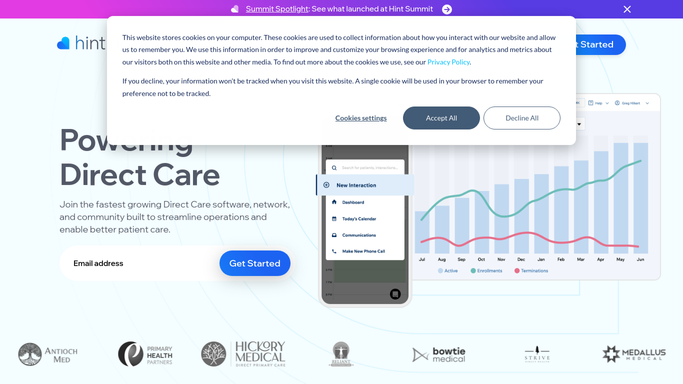
Hint Health - find failed membership payments
hint.com How to Automate Hint Health

WebRun opens Hint Health to find failed membership payments. - Open Hint Health and navigate to the billing or payments section
- Filter for memberships with a payment status of failed or past due
- Capture member name, plan, amount owed, failure date, and grace period end date
Done when Every member with a failed payment is listed with full billing details.
-
2
Airtable - log each case to recovery tracker
airtable.com How to Automate Airtable
WebRun opens Airtable to log each case to recovery tracker. - Open the payment recovery tracker base
- Add each failed-payment member as a new record if not already present
- Update the status, failure date, and days remaining in grace period for existing records
Done when Recovery tracker reflects all current failed-payment members and their grace period status.
-
3
Slack - alert staff to action the queue
slack.com How to Automate Slack
WebRun opens Slack to alert staff to action the queue. - Post a daily alert to the billing channel with the count and list of failed payments
- Flag any members within 3 days of grace period expiry as urgent
- Note that outreach drafts are queued in Airtable for staff review and sending
Done when Billing staff have the failed-payment alert in Slack with urgency flags.


How do I automatically catch and recover failed DPC membership payments before members cancel?
WebRun checks Hint Health every morning for failed membership payments, logs each case to an Airtable recovery tracker with grace period urgency, and posts a Slack alert to the billing team. Member outreach is drafted for staff to review and send, so no payment slips through without a timely, human-approved follow-up.
- Failed payments caught and queued for recovery the same morning they occur
- Grace period urgency flags ensure highest-risk members are contacted first
- Members whose payments cleared overnight are skipped automatically
Built for direct primary care practices · DPC billing staff · membership-based clinics
How is each run configured?
Secure by default
Connect once, stays signed in
WebRun signs in once and keeps each session in a persistent environment, so every run picks up right where it left off.
Every action is checked against this policy before it runs.
Questions, answered
Will it contact members about their failed payment automatically?
No. Any outreach to members is drafted and queued for staff review before sending. WebRun never messages a patient or member directly, ensuring no PHI leaves the practice without human approval.
How does it know which failures are most urgent?
It reads the grace period end date from Hint Health and flags members with fewer than 3 days remaining as urgent at the top of the Slack alert, so staff know exactly who to contact first.
What if the payment was retried and succeeded overnight?
It reads live payment status from Hint Health on each morning run, so any member whose payment has since cleared is automatically excluded from the recovery queue.
Related templates
Put this on autopilot.
Turn it on in minutes - or have our team set it up for you.