Chase unpaid employer invoices before they age past 30 days
Every Monday, WebRun opens Hint Health, identifies employer group invoices unpaid past 15 days, logs each to a Google Sheets follow-up tracker with the employer name and amount, and drafts a polite follow-up email in Gmail for staff to review and send so no employer invoice ages past 30 days without a prompt.
- No credit card
- Under $0.01 per run
- Cancel anytime
What does WebRun do on every run?
The exact actions WebRun takes, in order - in plain language, so you can adjust anything.
-
WebRun signs in and gets to work
Opens
app.hint.comin a real browser with your saved login - no setup, no API keys. -
1
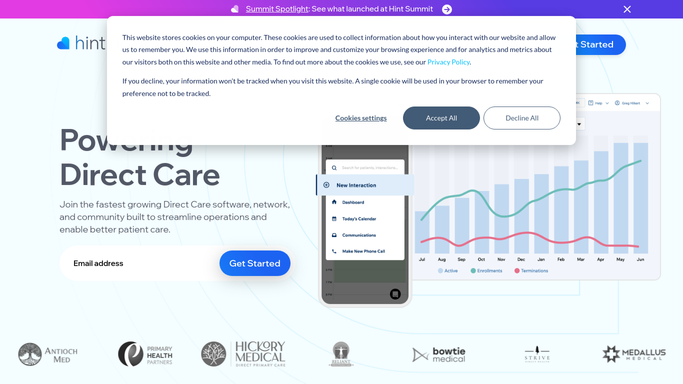
Hint Health - find employer invoices unpaid past 15 days
hint.com How to Automate Hint Health

WebRun opens Hint Health to find employer invoices unpaid past 15 days. - Open Hint Health and navigate to the employer billing or invoices section
- Filter for employer group invoices with a status of unpaid and an issue date more than 15 days ago
- Capture employer name, invoice number, amount, issue date, and primary contact email
Done when All employer invoices unpaid past 15 days are captured with their details.
-
2
Google Sheets - log unpaid invoices to follow-up tracker
google.com How to Automate Google Sheets
WebRun opens Google Sheets to log unpaid invoices to follow-up tracker. - Open the employer invoice follow-up tracker sheet
- Append each unpaid invoice as a new row with employer name, amount, days unpaid, and contact
- Mark any invoice already in a payment dispute or recently contacted to avoid duplicate follow-up
Done when Follow-up tracker updated with all unpaid employer invoices.
-
3
Gmail - draft follow-up email for staff review
gmail.com How to Automate Gmail
WebRun opens Gmail to draft follow-up email for staff review. - Draft a polite follow-up email for each unpaid employer invoice, using the employer contact captured from Hint Health
- Include the invoice number, amount, and a payment link or instructions
- Save each draft in Gmail for staff to review and send. Do not send automatically.
Done when Follow-up email drafts saved in Gmail for all unpaid employer invoices, ready for staff review.


How do I automatically follow up on unpaid employer invoices in a DPC practice?
WebRun checks Hint Health every Monday for employer group invoices unpaid past 15 days, logs each to a Google Sheets tracker, and drafts a polite follow-up email in Gmail for every outstanding invoice. Staff review and send each draft before it goes out, so no employer invoice ages past 30 days without a professional, timely follow-up.
- Every unpaid employer invoice gets a follow-up draft within 15 days of issue
- No employer invoice reaches 30 days unpaid without a staff-reviewed chase email
- All financial outreach is human-approved before any email is sent to an employer
Built for DPC billing staff · direct primary care practice managers · employer group DPC administrators
How is each run configured?
Secure by default
Connect once, stays signed in
WebRun signs in once and keeps each session in a persistent environment, so every run picks up right where it left off.
Every action is checked against this policy before it runs.
Questions, answered
Will it send the follow-up emails to employers automatically?
No. All employer follow-up emails are saved as Gmail drafts for staff to review and send. WebRun never sends a financial communication on its own. A staff member opens the draft, confirms the details, and sends it.
How does it avoid following up on invoices already being disputed?
Staff mark disputed or recently contacted invoices in the Google Sheets tracker. WebRun checks that status on the next run and skips those accounts, so only genuinely unpaid invoices receive a new draft.
What does the follow-up email include?
Each draft includes the employer name, invoice number, amount due, days past due, and a note on how to pay. You can provide a template or tone guidance at setup for WebRun to follow.
Related templates
Put this on autopilot.
Turn it on in minutes - or have our team set it up for you.