Draft membership dunning messages for overdue DPC accounts
Every Monday, WebRun opens Hint Health, identifies memberships with an outstanding balance more than 14 days past due, drafts a polite and on-brand dunning message for each account, queues the drafts in Google Sheets, and posts a Slack alert so staff can review and send the messages before the balance ages further.
- No credit card
- Under $0.01 per run
- Cancel anytime
What does WebRun do on every run?
The exact actions WebRun takes, in order - in plain language, so you can adjust anything.
-
WebRun signs in and gets to work
Opens
app.hint.comin a real browser with your saved login - no setup, no API keys. -
1
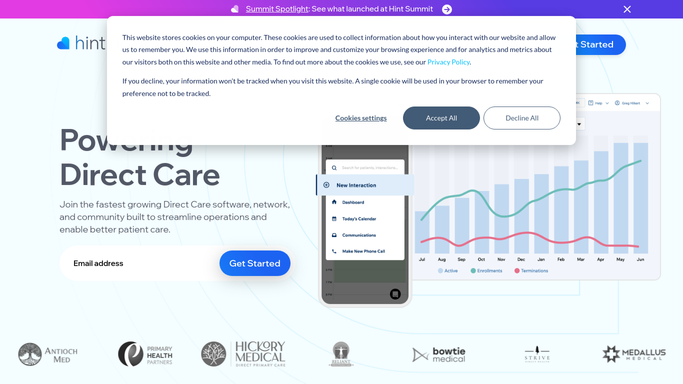
Hint Health - find memberships with overdue balances
hint.com How to Automate Hint Health

WebRun opens Hint Health to find memberships with overdue balances. - Open Hint Health and navigate to the billing or accounts section
- Filter for memberships with an outstanding balance more than 14 days past due
- Capture member name, balance amount, days overdue, plan type, and contact info
Done when All overdue membership accounts with balances are captured with their details.
-
2
Google Sheets - log overdue accounts and queue dunning drafts
google.com How to Automate Google Sheets
WebRun opens Google Sheets to log overdue accounts and queue dunning drafts. - Open the dunning drafts queue sheet
- Add each overdue account as a new row with name, amount, days overdue, and a drafted dunning message
- Mark any account already in a payment plan or contacted this month to avoid duplicate outreach
- Leave all drafts in the sheet for staff to review, approve, and send. Do not send any message automatically.
Done when Dunning drafts queued in Google Sheets for all overdue accounts, ready for staff review.
-
3
Slack - alert staff to review and send dunning drafts
slack.com How to Automate Slack
WebRun opens Slack to alert staff to review and send dunning drafts. - Post a Slack alert to the billing channel: how many overdue accounts have drafts ready for review
- List the highest-balance accounts first
- Remind staff that all drafts must be reviewed in Google Sheets before sending to any member
Done when Billing staff have the weekly dunning review alert in Slack.


How do I automatically draft dunning messages for overdue DPC membership accounts?
WebRun reviews Hint Health every Monday for memberships with balances more than 14 days overdue, drafts a polite dunning message for each account, and queues the drafts in Google Sheets. Billing staff get a Slack alert to review and approve each message before it goes out, so overdue balances are chased promptly without any automatic member contact.
- Every overdue balance gets a ready-to-send dunning draft every Monday without manual writing
- Highest-balance accounts surface first so staff prioritize the biggest recovery opportunities
- All outreach is human-reviewed before any member receives a balance message
Built for DPC billing staff · direct primary care practice managers · membership-based clinic administrators
How is each run configured?
Secure by default
Connect once, stays signed in
WebRun signs in once and keeps each session in a persistent environment, so every run picks up right where it left off.
Every action is checked against this policy before it runs.
Questions, answered
Will it send dunning messages to members automatically?
No. All dunning messages are drafted and queued in Google Sheets for staff to review before sending. WebRun never contacts a member directly about an outstanding balance. A staff member approves and sends each message.
How does it avoid contacting members who are already in a payment plan?
Staff mark payment-plan accounts in the Google Sheets queue so they are excluded on the next run. WebRun also checks the balance status in Hint Health each Monday, so any account cleared or restructured since last week is automatically skipped.
What tone do the dunning drafts use?
Drafts default to a polite, professional tone that preserves the member relationship. You can provide a sample message or tone guidance at setup and WebRun will follow it for all future drafts.
Related templates
Put this on autopilot.
Turn it on in minutes - or have our team set it up for you.