Thank every new donor the moment they give
Every few minutes, WebRun checks Donorbox for new donations, drafts a personalised thank-you email in Gmail for each new donor, and posts a Slack alert so you can review and send with one click.
- No credit card
- Under $0.01 per run
- Cancel anytime
What does WebRun do on every run?
The exact actions WebRun takes, in order - in plain language, so you can adjust anything.
-
WebRun signs in and gets to work
Opens
donorbox.org/org/donationsin a real browser with your saved login - no setup, no API keys. -
1
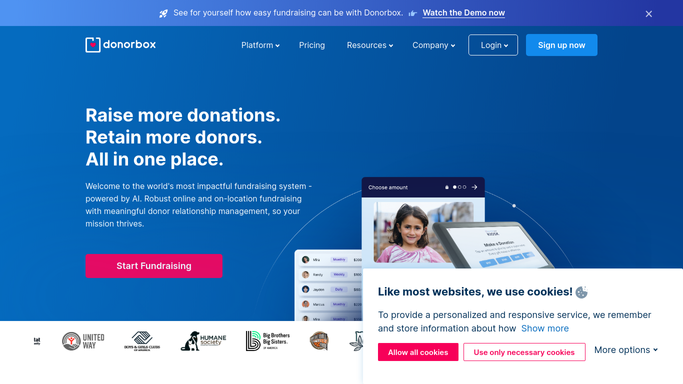
Donorbox - detect new donations
donorbox.org

WebRun opens Donorbox to detect new donations. - Open Donorbox and go to Donations, sorted by newest first
- Identify donations received since the last run
- Capture the donor's name, email, donation amount, campaign name, and whether it is a one-time or recurring gift
Done when All new donations since the last run are captured with full donor details.
-
2
Gmail - draft personalised thank-you email
gmail.com How to Automate Gmail
WebRun opens Gmail to draft personalised thank-you email. - Draft a warm, personalised thank-you email for each new donor
- Address them by name, reference the donation amount and campaign, and share the impact their gift will have
- For recurring donors, include a special acknowledgement of their ongoing commitment
- Save as Draft - do not send until you have reviewed and approved
Done when A personalised thank-you draft is ready in Gmail for every new donor, pending approval.
-
3
Slack - alert you to review and approve
slack.com How to Automate Slack
WebRun opens Slack to alert you to review and approve. - Post a Slack alert with the donor's name, amount, campaign, and a link to the Gmail Draft
- For gifts above a threshold you set, flag them as Major Donor for personal attention
Done when You have been alerted for every new donation with a direct link to approve the thank-you.


How can I automatically thank new donors as soon as they give?
WebRun checks Donorbox every few minutes for new donations, drafts a personalised thank-you email in Gmail for each new donor, and posts a Slack alert for your review - so every supporter feels acknowledged quickly without you manually writing individual messages.
- Every donor receives a personalised thank-you draft within minutes of giving
- No donation goes unacknowledged
- Staff review and send from Slack without opening Gmail manually
Built for nonprofit fundraisers · charity development teams · donor relations managers · foundations
How is each run configured?
Secure by default
Connect once, stays signed in
WebRun signs in once and keeps each session in a persistent environment, so every run picks up right where it left off.
Every action is checked against this policy before it runs.
Questions, answered
Will it email donors automatically?
Never. Every thank-you is saved as a Gmail Draft. You read it, personalise it if you like, and hit Send yourself - donors receive nothing without your explicit approval.
What if a donor gives multiple times?
It recognises returning donors and tailors the thank-you to acknowledge their continued support rather than sending the same first-time message again.
Can it handle large donations differently?
Yes. Set a major-donor threshold in the plan and any gift above it gets a special Slack flag so you can craft a more personal message or arrange a phone call.
Related templates
Put this on autopilot.
Turn it on in minutes - or have our team set it up for you.