Win back lapsed donors before they forget you
Every Monday, WebRun checks Donorbox for donors whose last gift was more than 12 months ago, creates a personalised win-back draft campaign in Mailchimp for each lapsed segment, and posts a summary to Slack for your review before anything is sent.
- No credit card
- Under $0.01 per run
- Cancel anytime
What does WebRun do on every run?
The exact actions WebRun takes, in order - in plain language, so you can adjust anything.
-
WebRun signs in and gets to work
Opens
donorbox.org/org/donationsin a real browser with your saved login - no setup, no API keys. -
1
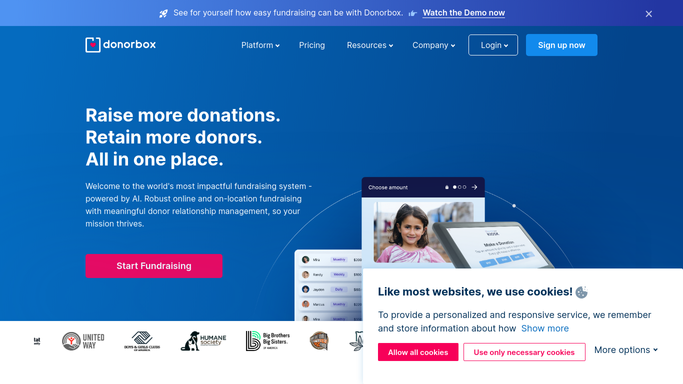
Donorbox - identify lapsed donors
donorbox.org

WebRun opens Donorbox to identify lapsed donors. - Open Donorbox and filter donors whose most recent donation was more than 365 days ago
- Segment them by lapse duration: 12 to 18 months, 18 to 24 months, and over 24 months
- Capture each donor's name, email, last donation amount, and the campaign they last gave to
Done when Lapsed donors are segmented by how long ago they last gave, with full contact and giving history.
-
2
Mailchimp - draft personalised win-back campaigns
mailchimp.com How to Automate Mailchimp
WebRun opens Mailchimp to draft personalised win-back campaigns. - Create a Draft campaign in Mailchimp for each lapsed segment with tone calibrated to the gap (warmer for shorter lapses)
- Personalise each email with the donor's name, their last gift amount, and the impact it had
- Include a single clear call to action - a donate link to the campaign they last supported
- Save as Draft - do not send or schedule until you review and approve
Done when A personalised win-back draft campaign is staged in Mailchimp for each lapsed segment, pending approval.
-
3
Slack - post approval summary to you
slack.com How to Automate Slack
WebRun opens Slack to post approval summary to you. - Post a Slack summary with the number of lapsed donors per segment and links to each Mailchimp draft
- Flag the over-24-months segment for possible phone outreach instead of email
Done when You have a full overview in Slack with links to every draft campaign ready for your sign-off.


How can I automatically re-engage lapsed donors with a win-back campaign?
Every Monday, WebRun checks Donorbox for donors whose last gift was more than 12 months ago, creates a personalised win-back draft campaign in Mailchimp for each lapsed segment, and posts a Slack summary for your review - so no message is sent before you approve it.
- Lapsed donors identified and segmented automatically each week
- Personalised win-back drafts ready for review in Slack every Monday
- No re-engagement email sent without human approval
Built for nonprofit fundraisers · donor relations teams · charity development officers · foundations
How is each run configured?
Secure by default
Connect once, stays signed in
WebRun signs in once and keeps each session in a persistent environment, so every run picks up right where it left off.
Every action is checked against this policy before it runs.
Questions, answered
Will it email lapsed donors on its own?
No. Every win-back campaign is staged as a Mailchimp Draft. You read every message and choose to send, edit, or skip - donors receive nothing without your approval.
How does it personalise the message for each donor?
It pulls the donor's name, last gift amount, and campaign from Donorbox and weaves them into the email so it reads like a personal note, not a mass blast.
What if a lapsed donor gives again before the email is sent?
It checks Donorbox for new donations before staging any campaign. If a donor has already given again, they are removed from the win-back list automatically.
Related templates
Put this on autopilot.
Turn it on in minutes - or have our team set it up for you.