Stay within state purchase limits on every transaction
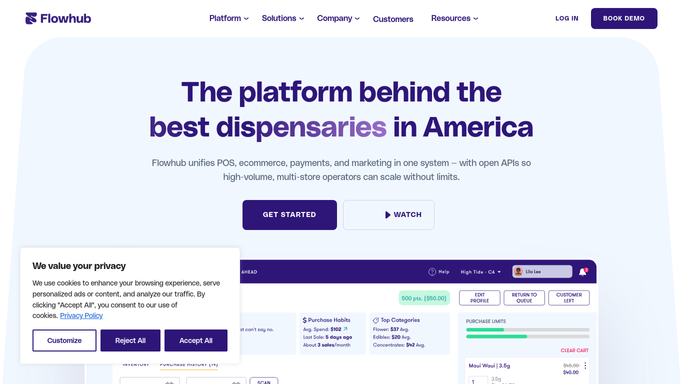
Every morning, WebRun opens Flowhub, pulls the previous day's transactions, calculates rolling purchase totals per customer against your state's daily and period limits, logs any customer near or over the threshold to Google Sheets, and posts a compliance alert to Slack for your team to review before the store opens.
- No credit card
- Under $0.01 per run
- Cancel anytime
What does WebRun do on every run?
The exact actions WebRun takes, in order - in plain language, so you can adjust anything.
-
WebRun signs in and gets to work
Opens
app.flowhub.comin a real browser with your saved login - no setup, no API keys. -
1
Flowhub - pull daily transactions
flowhub.com

WebRun opens Flowhub to pull daily transactions. - Open Flowhub and navigate to the transactions or sales report section
- Pull all completed transactions for the previous day including customer ID, product weight, and category
- Identify any customer with more than one transaction in the day and aggregate their total purchase weight
Done when All previous day's transactions are captured with per-customer purchase totals.
-
2
Google Sheets - calculate and log limit proximity
google.com How to Automate Google Sheets
WebRun opens Google Sheets to calculate and log limit proximity. - Open the purchase-limit compliance log in Google Sheets
- Append each flagged customer's total purchase weight alongside your state's daily limit for reference
- Mark any customer who reached or exceeded the state limit and note the overage amount
- Keep a rolling 30-day log for audit purposes
Done when All flagged transactions are logged with totals, limits, and overage details.
-
3
Slack - alert compliance team
slack.com How to Automate Slack
WebRun opens Slack to alert compliance team. - Post a compliance summary to the operations Slack channel listing any customer flagged for near or over limit purchases
- Include transaction date, customer ID, total purchased, state limit, and overage amount
- Flag the highest overages at the top of the message
- Remind the team to review flagged cases with the compliance officer before the store opens
Done when Compliance team has the purchase-limit summary in Slack for review before opening.


How do I monitor cannabis purchase limits automatically across all transactions?
WebRun pulls Flowhub transactions each morning and calculates rolling purchase totals per customer against your state's daily limits. Any customer near or over the threshold is logged to Google Sheets and flagged in a Slack compliance alert so your team can investigate before the store opens and before any violation escalates.
- Near-limit and over-limit purchases are caught the morning after they occur
- Compliance team has a daily audit log in Sheets for regulatory review
- State limit thresholds are easily updated when regulations change
Built for dispensary compliance officers · store managers · cannabis retail operators · multi-location owners
How is each run configured?
Secure by default
Connect once, stays signed in
WebRun signs in once and keeps each session in a persistent environment, so every run picks up right where it left off.
Every action is checked against this policy before it runs.
Questions, answered
Does WebRun block or reverse a transaction if a limit is exceeded?
No. WebRun surfaces the data for your compliance team to review. Transaction decisions are always made in real-time by your budtenders and POS system. This workflow is a daily audit tool, not a point-of-sale guardrail.
Which state's limits does it use?
You configure your state's daily and period purchase limits in the workflow settings. When regulations change, update the limit values in your configuration and the next run will apply the new thresholds.
Can it catch same-day multi-visit purchases?
Yes. WebRun aggregates all transactions for the same customer ID within the review period. Any customer who made multiple visits and whose combined total exceeds the threshold is flagged in the report.
Related templates
Put this on autopilot.
Turn it on in minutes - or have our team set it up for you.