Move product before expiry costs you margin
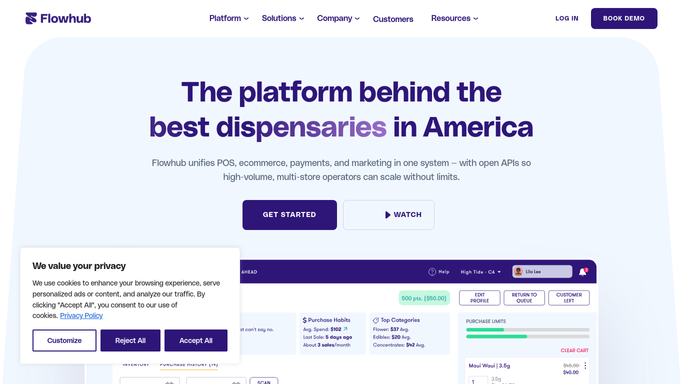
Every morning, WebRun opens Flowhub, scans active inventory batches for expiry dates within your configured window, logs each near-expiry batch to Google Sheets with quantity and days remaining, and posts a draft clearance plan to Slack for your manager to review and approve before any action is taken.
- No credit card
- Under $0.01 per run
- Cancel anytime
What does WebRun do on every run?
The exact actions WebRun takes, in order - in plain language, so you can adjust anything.
-
WebRun signs in and gets to work
Opens
app.flowhub.comin a real browser with your saved login - no setup, no API keys. -
1
Flowhub - scan batch expiry dates
flowhub.com

WebRun opens Flowhub to scan batch expiry dates. - Open Flowhub and navigate to the inventory batch list
- Filter batches by expiry date within your configured alert window, typically 14 to 30 days
- Capture the batch ID, product name, category, quantity, current price, and exact expiry date for each
- Sort by days remaining, with the most urgent batches first
Done when All near-expiry batches are captured with quantity, price, and days remaining.
-
2
Google Sheets - log near-expiry batches
google.com How to Automate Google Sheets
WebRun opens Google Sheets to log near-expiry batches. - Open the expiring product tracker in Google Sheets
- Append each near-expiry batch as a new row with today's date, product details, and days to expiry
- Update a summary tab showing total inventory value at risk by category
Done when All near-expiry batches are logged with full detail and the value-at-risk summary is updated.
-
3
Slack - post draft clearance plan
slack.com How to Automate Slack
WebRun opens Slack to post draft clearance plan. - Draft a clearance plan in plain markdown listing each batch with suggested discount tier and urgency level
- Post the draft to the manager Slack channel for review and approval
- Include a link to the Google Sheet for the full batch list
- Never publish a deal, change a price, or notify customers without explicit manager approval
Done when Draft clearance plan is posted to Slack and awaiting manager review.


How do I get alerts for expiring cannabis products before they need to be destroyed?
WebRun scans Flowhub every morning for inventory batches expiring within your alert window and logs each one to Google Sheets with the quantity, current price, and days remaining. It then posts a draft clearance plan to Slack for your manager to review and approve before any deal or discount is applied.
- Near-expiry batches surface before product has to be destroyed
- Managers get a ready-to-review clearance draft each morning
- Total inventory value at risk is trended in Sheets by category
Built for dispensary managers · inventory buyers · cannabis retail operators · compliance officers
How is each run configured?
Secure by default
Connect once, stays signed in
WebRun signs in once and keeps each session in a persistent environment, so every run picks up right where it left off.
Every action is checked against this policy before it runs.
Questions, answered
Will it discount or promote expiring product without approval?
No. WebRun only drafts the clearance plan and posts it to Slack. No price changes, deals, or customer-facing promotions are made until a manager explicitly reviews and approves the plan.
How far in advance does it flag batches?
The default alert window is 14 days, but you can set it to any number of days in your workflow settings. Batches expiring sooner are listed first so the most urgent items get immediate attention.
What if the batch has already been sold through by the time the alert runs?
WebRun reads live Flowhub inventory each morning, so batches that have sold out or been transferred are not included in that day's report.
Related templates
Put this on autopilot.
Turn it on in minutes - or have our team set it up for you.