Keep business repair accounts engaged with a regular check-in
On the first Monday of each month, WebRun opens Syncro, reviews repair ticket volume and invoice history for each business account, drafts a personalised check-in email to the account contact in Gmail, and posts your team a Slack summary of account health so the right conversations happen proactively.
- No credit card
- Under $0.01 per run
- Cancel anytime
What does WebRun do on every run?
The exact actions WebRun takes, in order - in plain language, so you can adjust anything.
-
WebRun signs in and gets to work
Opens
app.syncromsp.comin a real browser with your saved login - no setup, no API keys. -
1
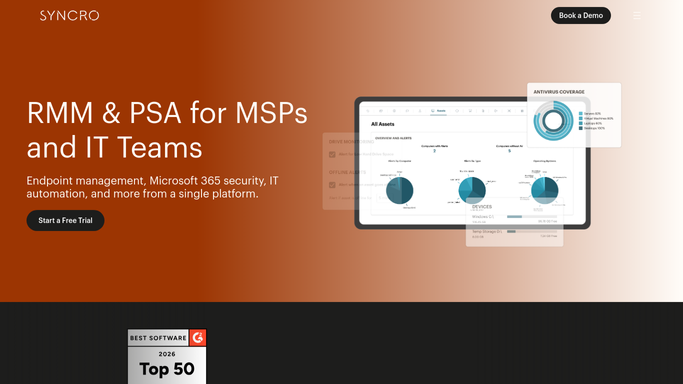
Syncro - review business account activity and history
syncromsp.com

WebRun opens Syncro to review business account activity and history. - Open Syncro and load the list of business or recurring customer accounts
- For each account, note the number of tickets in the last 30 days, total spend, any open tickets, and last contact date
- Flag accounts that have not had a ticket or invoice in the last 60 days as at-risk
Done when Every business account has an activity summary with ticket count, spend, and engagement status.
-
2
Gmail - draft personalised check-in to account contact
gmail.com How to Automate Gmail
WebRun opens Gmail to draft personalised check-in to account contact. - Draft a brief, personalised check-in email to the main contact at each active business account
- Reference their recent repair activity and offer to discuss any upcoming device needs or a service agreement
- For at-risk accounts with no recent activity, draft a warmer re-engagement message
- Leave every email as a draft in Gmail for your account manager to review and personalise before sending
Done when A ready-to-review check-in draft exists in Gmail for every business account.
-
3
Slack - summarise account health for the team
slack.com How to Automate Slack
WebRun opens Slack to summarise account health for the team. - Post a monthly account health summary sorted by recent activity, most active first
- Highlight at-risk accounts with no recent tickets so account managers can prioritise outreach
- Include a total count of active business accounts and the combined repair volume for the month
Done when Account managers have a Slack summary of account health with draft check-in links for every account.


How do I automatically check in with my business repair accounts every month?
On the first Monday of each month, WebRun reviews every business account in Syncro, compiles a repair and spend summary, drafts a personalised check-in email for each account contact in Gmail, and posts your team a Slack account health summary. Account managers review and send the drafts, keeping every key relationship warm without manual tracking.
- At-risk business accounts are flagged before they quietly stop using your shop
- Account managers start each month with a personalised draft ready to send for every account
- Monthly repair volume per account is visible in one Slack summary, making upsell conversations easy
Built for computer repair shops · IT service providers · MSPs with repair services · device repair shops with business accounts
How is each run configured?
Secure by default
Connect once, stays signed in
WebRun signs in once and keeps each session in a persistent environment, so every run picks up right where it left off.
Every action is checked against this policy before it runs.
Questions, answered
Will it send check-in emails to business customers without review?
No. Every check-in is left as a Gmail draft. Your account manager reads, personalises, and sends it. Nothing reaches a business customer without a human approving the message.
What makes an account count as at-risk?
The default is no ticket or invoice in the last 60 days. You can adjust this threshold or add other signals, such as a drop in monthly spend compared to the prior period.
Can it handle accounts managed by different team members?
Yes. If accounts are assigned to staff members in Syncro, WebRun can route each draft to the correct account manager in Gmail and tag them in the Slack summary.
Related templates
Put this on autopilot.
Turn it on in minutes - or have our team set it up for you.