Recover missed appointments and fill empty bays
Each afternoon, WebRun opens Urable, finds appointments from earlier that day that were marked no-show or not completed, drafts a recovery message for each customer, queues those messages for your review, and posts the open slot to Slack so your team can fill the bay.
- No credit card
- Under $0.01 per run
- Cancel anytime
What does WebRun do on every run?
The exact actions WebRun takes, in order - in plain language, so you can adjust anything.
-
WebRun signs in and gets to work
Opens
app.urable.comin a real browser with your saved login - no setup, no API keys. -
1
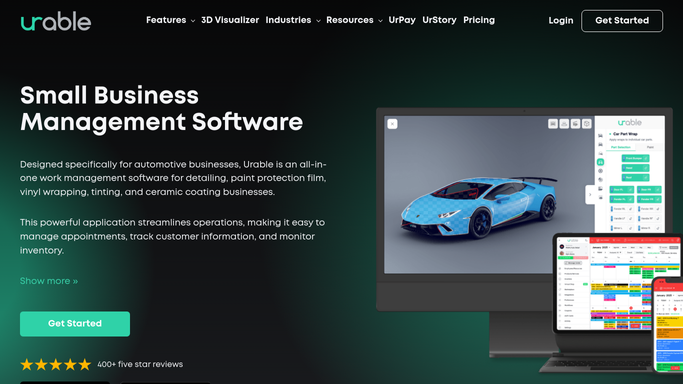
Urable - identify no-show appointments
urable.com How to Automate Urable

WebRun opens Urable to identify no-show appointments. - Open Urable and filter today's appointments by status
- Find any appointment marked no-show, absent, or not started past its scheduled time
- Capture the customer name, service booked, slot time, and contact details
- Note the bay or mobile technician affected so the team can reassign it
Done when All no-show appointments for today are identified with customer contact details and the open slot recorded.
-
2
Twilio - draft recovery SMS for review
twilio.com How to Automate Twilio
WebRun opens Twilio to draft recovery SMS for review. - Draft a friendly, non-confrontational recovery SMS for each no-show customer
- Acknowledge they may have had something come up and offer to reschedule at their convenience
- Queue the SMS as a draft for your approval before sending
- Never send automatically without human review
Done when Recovery SMS drafts are queued for every no-show customer with a mobile number.
-
3
Gmail - draft recovery email for review
gmail.com How to Automate Gmail
WebRun opens Gmail to draft recovery email for review. - Draft a recovery email for customers without a mobile number or who prefer email
- Keep the tone warm and offer two or three upcoming time slots to choose from
- Save as a Gmail draft for your review before sending
- Never send automatically without human review
Done when Recovery email drafts are saved in Gmail for every eligible no-show customer.
-
4
Slack - alert team to open slot
slack.com How to Automate Slack
WebRun opens Slack to alert team to open slot. - Post a same-day alert to the team channel listing the open slots created by no-shows
- Include the bay, time, and service type so the team can offer the slot to a waitlist customer or move another booking forward
- Tag the owner or manager so the alert is seen quickly
Done when Team has an immediate alert in Slack about open slots and can act to fill them.



How do I automatically follow up with auto detailing no-shows and recover the slot?
WebRun checks Urable each afternoon for appointments marked no-show, then drafts a warm recovery SMS via Twilio and an email via Gmail for each absent customer. All messages are queued for your approval before sending. A Slack alert immediately flags the open bay slots so your team can fill them from a waitlist or by moving another booking.
- No-show customers receive a recovery message the same day
- Open bay slots are surfaced to the team in minutes, not hours
- Rescheduled no-shows turn a lost slot into recovered revenue
Built for auto detailing shops · mobile detailers · ceramic coating studios · car care businesses
How is each run configured?
Secure by default
Connect once, stays signed in
WebRun signs in once and keeps each session in a persistent environment, so every run picks up right where it left off.
Every action is checked against this policy before it runs.
Questions, answered
Will it message the no-show customer automatically?
No. Every recovery SMS and email is drafted and queued for your review first. You decide whether and when to send it, keeping the tone exactly right for each situation.
How quickly does it run after a no-show?
It runs at the time you configure, typically mid-afternoon. You can run it earlier or set it to trigger as soon as a job is marked no-show in Urable.
What if the customer rescheduled on their own?
WebRun reads live appointment status from Urable, so any customer who has already rescheduled or cancelled with notice will not appear in the no-show list.
Related templates
Put this on autopilot.
Turn it on in minutes - or have our team set it up for you.