Win back detailing customers who have gone quiet
Every Monday, WebRun opens Urable and finds customers whose last service was 90 or more days ago and who have no future appointment booked. It drafts a personalised winback message for each, queues those messages for your review, and posts the winback list to Slack so your team can see the opportunity.
- No credit card
- Under $0.01 per run
- Cancel anytime
What does WebRun do on every run?
The exact actions WebRun takes, in order - in plain language, so you can adjust anything.
-
WebRun signs in and gets to work
Opens
app.urable.comin a real browser with your saved login - no setup, no API keys. -
1
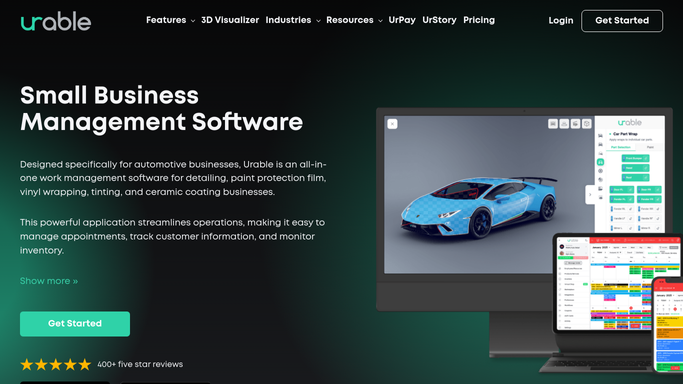
Urable - find customers lapsed 90 or more days
urable.com How to Automate Urable

WebRun opens Urable to find customers lapsed 90 or more days. - Open Urable and filter the customer list by last service date
- Identify customers whose last completed job was 90 days or more ago
- Exclude customers who already have a future booking or who have opted out of marketing
- Capture customer name, last service type, vehicle, service date, and contact details
- Note long-term high-value customers (e.g. ceramic coating clients, monthly members) for a more personalised message
Done when All lapsed customers are listed with their last service details and contact information.
-
2
Twilio - draft winback SMS for review
twilio.com How to Automate Twilio
WebRun opens Twilio to draft winback SMS for review. - Draft a warm, personalised winback SMS for each customer with a mobile number
- Reference the specific service they had and the vehicle by name to make it feel personal
- Include a soft offer or reason to return (e.g. a new service package, seasonal availability)
- Queue as a draft for your approval before sending
- Never send automatically without human review
Done when Winback SMS drafts are queued for every lapsed customer with a mobile number.
-
3
Gmail - draft winback email for review
gmail.com How to Automate Gmail
WebRun opens Gmail to draft winback email for review. - Draft a winback email for customers who prefer email contact
- Use the customer's name, vehicle, and last service to personalise the message
- Include a clear call to action to book their next appointment
- Save as a Gmail draft for your review before sending
- Never send automatically without human review
Done when Winback email drafts are saved in Gmail for every eligible email-preference lapsed customer.
-
4
Slack - post weekly winback list to team
slack.com How to Automate Slack
WebRun opens Slack to post weekly winback list to team. - Post the weekly winback list to your team channel
- Include the total number of lapsed customers and their combined last-service value
- Highlight any former high-value customers at the top for priority personal outreach
Done when Team has the weekly winback opportunity list in Slack with high-value customers flagged.



How do I automatically win back lapsed auto detailing customers?
Every Monday, WebRun opens Urable and finds customers who have not returned in 90 or more days with no future booking. It drafts a personalised winback SMS via Twilio and email via Gmail for each, referencing their last service and vehicle. All messages are queued for your approval, and a Slack list flags high-value former clients for personal outreach.
- Lapsed customers are contacted with a personal message, not a mass email
- Former high-value clients are flagged for priority outreach every week
- No lapsed customer who already rebooked receives an unnecessary winback message
Built for auto detailing shops · ceramic coating studios · mobile detailers · car care businesses
How is each run configured?
Secure by default
Connect once, stays signed in
WebRun signs in once and keeps each session in a persistent environment, so every run picks up right where it left off.
Every action is checked against this policy before it runs.
Questions, answered
Will it contact lapsed customers without my approval?
No. Every winback message is drafted and queued for your review first. You decide which customers to contact, with what tone, and whether to include any offer before anything is sent.
How does it personalise the winback message?
It reads the customer's last service type, vehicle, and service date from Urable and weaves those details into the draft, so the message feels like a personal check-in rather than a bulk mailout.
What if a lapsed customer has already rebooked?
WebRun checks for existing future appointments in Urable each run, so any customer who has already rebooked or is actively scheduled is automatically excluded from the winback list.
Related templates
Put this on autopilot.
Turn it on in minutes - or have our team set it up for you.