Get your weekly product update written in every language you sell in
Every Monday, WebRun opens DeepSeek, gives it the week's product update along with your glossary and tone notes, asks for a version in each language you sell in, posts every translation as a draft in Microsoft Teams for a native speaker to check, and pings you on Telegram.
- No credit card
- Under $0.01 per run
- Cancel anytime
How do I translate my weekly product update into every market language?
Every Monday WebRun opens DeepSeek, feeds it the week's product update, and asks for a translation in each language you sell in, holding your terminology and tone. It posts every version as a draft in Microsoft Teams for a native speaker to check and pings you on Telegram.
- Every market gets the update the same week, not weeks later
- Product names and glossary terms stay untranslated
- Nothing ships until a native speaker approves the draft
Built for marketing leads · localisation teams · international SaaS · product marketers
What does WebRun do on every run?
The exact actions WebRun takes, in order - in plain language, so you can adjust anything.
-
WebRun signs in and gets to work
Opens
chat.deepseek.comin a real browser with your saved login - no setup, no API keys. -
1
DeepSeek - translate the weekly update
deepseek.com
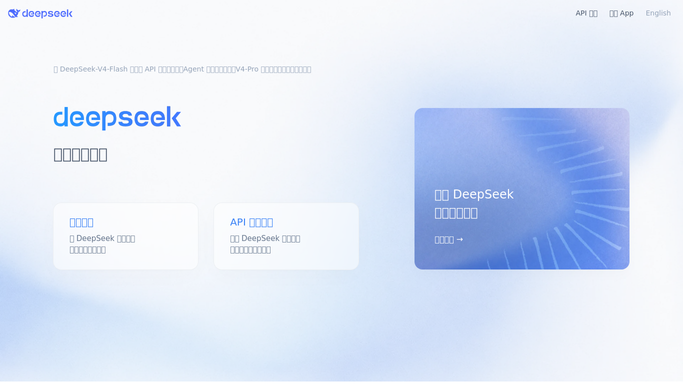
WebRun opens DeepSeek to translate the weekly update. - Open DeepSeek and start a chat with your standing translation prompt
- Paste the week's update and upload the glossary file of product names and terms you never translate
- Ask for one response per target language, matching your tone and keeping the glossary terms untouched
Done when Every target language has a translated version of the week's update.
-
2
Microsoft Teams - post drafts for native-speaker review
microsoft.com How to Automate Microsoft Teams

WebRun opens Microsoft Teams to post drafts for native-speaker review. - Post each translation as a separate draft message in your localisation channel
- Tag the native speaker who reviews that language and mark the draft as unapproved
- Publish nothing. Every version waits for a human to approve before it leaves the channel
Done when Each language has a tagged draft waiting for its reviewer.
-
3
Telegram - tell you the drafts are ready
telegram.org How to Automate Telegram

WebRun opens Telegram to tell you the drafts are ready. - Send you one message listing the languages drafted and who is reviewing each
- Flag any language where the source text used a term missing from the glossary
- Note which reviewers still had drafts outstanding from last week
Done when You know which translations are ready for review and who has them.
How is each run configured?
Secure by default
Connect once, stays signed in
WebRun signs in once and keeps each session in a persistent environment, so every run picks up right where it left off.
Every action is checked against this policy before it runs.
Questions, answered
Will it publish the translations anywhere?
No. Every version is posted as a draft in your own Microsoft Teams channel and marked unapproved. Nothing is emailed to customers, posted to a site, or sent to a market without a native speaker approving it.
How does it keep product names correct?
It uploads your glossary with every request and instructs DeepSeek to leave those terms untranslated, then flags any source term that is missing from the glossary.
What if a reviewer changes the wording?
The reviewer's edit is the version that ships. WebRun only produces the first draft, and the next run reads your approved wording as the reference for tone.
Related templates
Put this on autopilot.
Turn it on in minutes - or have our team set it up for you.