Automated DeepL Glossary Maintenance
Every Monday, WebRun opens DeepL, reads each glossary entry by source and target language, spots product and brand terms that are missing or translating two different ways, writes the review list into Notion, and sends you a short Telegram summary.
How do I keep product terms translating consistently across languages?
WebRun reviews your DeepL glossaries every Monday, reading each entry by source and target language to find product and brand terms that are missing or translating two different ways. It logs the add-or-correct list in Notion and sends a Telegram summary, so one product name stops coming back three ways.
- One product name translates the same way in every language
- Missing glossary terms are caught weekly, not after a launch
- Every correction lands in Notion with the language pair attached
Built for localization managers · translation teams · product marketing · documentation teams
What does WebRun do on every run?
The exact actions WebRun takes, in order - in plain language, so you can adjust anything.
-
WebRun signs in and gets to work
Opens
deepl.comin a real browser with your saved login - no setup, no API keys. -
1
DeepL - review glossary entries
deepl.com
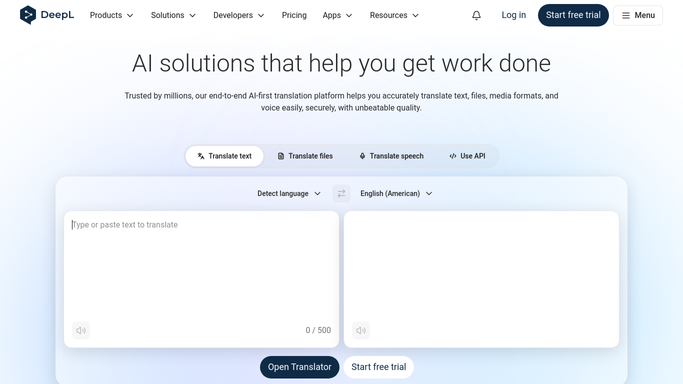
WebRun opens DeepL to review glossary entries. - Open DeepL and list every glossary with its source and target language pair
- Capture each glossary entry: the source term and the translation it forces
- Flag product and brand terms that appear in one language pair but are missing from the others
- Run your standing term list through a short translation check and note any term coming back differently from its glossary entry
Done when Every glossary has been read and each missing or inconsistent term is listed with its language pair.
-
2
Notion - log terms to fix
notion.so

WebRun opens Notion to log terms to fix. - Open your localization database in Notion and add a row per term needing attention
- Record the source term, the target language, the current translation, and what it should be
- Group the rows into terms to add and terms to correct, so the owner works one list
- Mark rows resolved when the same term comes back clean on a later run
Done when Notion holds this week's add-or-correct list with a row per term.
-
3
Telegram - send you the weekly list
telegram.org

WebRun opens Telegram to send you the weekly list. - Post a short Telegram summary: how many terms are missing, how many are inconsistent, and the languages affected
- Name the three terms drifting across the most languages first
- Link back to the Notion list so the owner can work through it
Done when You have this week's glossary summary in Telegram.
How is each run configured?
Secure by default
Connect once, stays signed in
WebRun signs in once and keeps each session in a persistent environment, so every run picks up right where it left off.
Every action is checked against this policy before it runs.
Questions, answered
Will it change my glossaries on its own?
No. WebRun only reads your DeepL glossaries and drafts the proposed additions and corrections into Notion. A person approves each term and applies it, so nothing in a live glossary changes without you.
How does it spot an inconsistent term?
It compares each glossary entry against the translation DeepL actually returns for that term, and against how the same term is handled in your other language pairs. Anything that does not match is listed.
What if a term is deliberately different in one market?
Mark that row as intentional in Notion and WebRun leaves it alone on later runs, so a local brand name stays local instead of being flagged every week.
Related templates
Put this on autopilot.
Turn it on in minutes - or have our team set it up for you.