Recover failed tuition payments before they go overdue
Every morning, WebRun opens Jackrabbit Dance, finds families with a failed autopay from the past 24 hours, drafts a courteous recovery email for each one, and posts your team a Slack summary to review and send.
- No credit card
- Under $0.01 per run
- Cancel anytime
What does WebRun do on every run?
The exact actions WebRun takes, in order - in plain language, so you can adjust anything.
-
WebRun signs in and gets to work
Opens
www.jackrabbitdance.comin a real browser with your saved login - no setup, no API keys. -
1
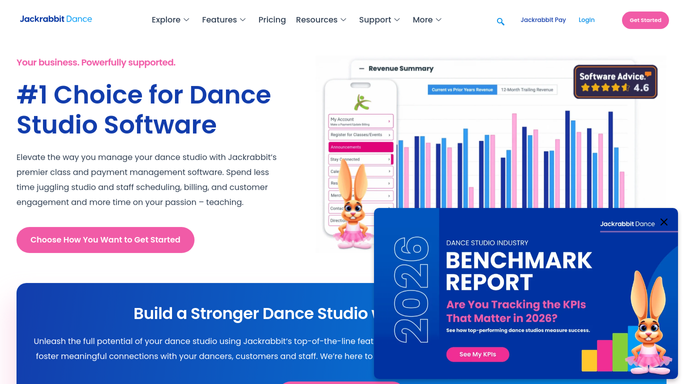
Jackrabbit Dance - find failed autopay families
jackrabbitdance.com How to Automate Jackrabbit Dance

WebRun opens Jackrabbit Dance to find failed autopay families. - Open Jackrabbit Dance and navigate to the Billing section
- Filter transactions to failed or declined autopay from the past 24 hours
- Capture family name, student name, amount owed, and contact email for each failure
- Skip families already contacted in the last 48 hours to avoid duplicate outreach
Done when Every new failed-autopay family is listed with their contact details and balance.
-
2
Gmail - draft recovery email per family
gmail.com How to Automate Gmail
WebRun opens Gmail to draft recovery email per family. - Draft a warm, on-brand recovery email for each affected family
- Include the outstanding amount, a link to update payment details, and a friendly deadline
- Leave every email as a draft in Gmail for your staff to review before sending
- Never send any email automatically
Done when A review-ready draft email exists in Gmail for every failed-autopay family.
-
3
Slack - notify team with draft queue
slack.com How to Automate Slack
WebRun opens Slack to notify team with draft queue. - Post a summary to your team Slack channel listing each family, amount, and draft status
- Flag families with a second consecutive failure at the top of the list
Done when Your team has a Slack summary of every draft queued for review.


How do I automatically follow up on failed dance tuition autopay?
WebRun opens Jackrabbit Dance each morning, finds every family whose autopay failed in the last 24 hours, and drafts a courteous recovery email in Gmail for each one. Your staff reviews and sends the drafts. A Slack digest lists every family and amount so nothing slips through.
- Every failed autopay is caught the same morning it occurs
- Recovery emails are ready to send with one click, not built from scratch
- No family is emailed without a staff member reviewing the draft first
Built for dance studio owners · studio administrators · dance school billing staff
How is each run configured?
Secure by default
Connect once, stays signed in
WebRun signs in once and keeps each session in a persistent environment, so every run picks up right where it left off.
Every action is checked against this policy before it runs.
Questions, answered
Will it email families automatically?
No. Every recovery email is saved as a Gmail draft for your staff to review and send. Nothing reaches a family without a human approving it first.
How does it avoid contacting the same family twice?
It checks the date of the last outreach attempt in the run log and skips families already contacted in the past 48 hours, so no family receives duplicate messages.
What if the family already paid before the run?
It reads the live billing status in Jackrabbit Dance each morning, so families who already updated their payment method or settled the balance are skipped automatically.
Related templates
Put this on autopilot.
Turn it on in minutes - or have our team set it up for you.