Get a monthly enrollment and revenue snapshot without the spreadsheet work
On the first of each month, WebRun opens Jackrabbit Dance, pulls enrollment counts and tuition revenue by class and age group, updates a Google Sheet with the latest figures, and posts your team a Slack digest with month-over-month highlights and any classes below target capacity.
- No credit card
- Under $0.01 per run
- Cancel anytime
What does WebRun do on every run?
The exact actions WebRun takes, in order - in plain language, so you can adjust anything.
-
WebRun signs in and gets to work
Opens
www.jackrabbitdance.comin a real browser with your saved login - no setup, no API keys. -
1
Jackrabbit Dance - pull monthly enrollment and revenue figures
jackrabbitdance.com How to Automate Jackrabbit Dance

WebRun opens Jackrabbit Dance to pull monthly enrollment and revenue figures. - Open Jackrabbit Dance and navigate to the Reports section
- Pull the enrollment count by class and age group for the current month
- Pull total tuition collected and any outstanding balances for the month
- Note any classes below 70 percent capacity and any new enrollments or withdrawals since last month
Done when Enrollment counts and revenue figures for the current month are captured.
-
2
Google Sheets - update monthly report with latest data
google.com How to Automate Google Sheets
WebRun opens Google Sheets to update monthly report with latest data. - Open the studio's enrollment report Google Sheet
- Add a new monthly row or tab with this month's enrollment and revenue figures
- Update the month-over-month comparison columns
- Highlight classes below capacity and flag any notable changes from last month
Done when The Google Sheet has a complete, up-to-date record for the current month.
-
3
Slack - post monthly digest with highlights to team
slack.com How to Automate Slack
WebRun opens Slack to post monthly digest with highlights to team. - Post a Slack digest to the owner or management channel with total enrollment, total revenue, and month-over-month changes
- List classes below target capacity and any classes with strong growth
- Include a link to the full Google Sheet report
Done when The team has this month's enrollment and revenue snapshot in Slack with a link to the full report.
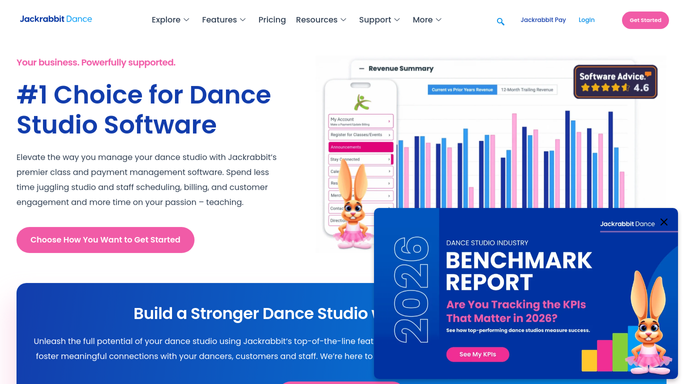


How do I automatically generate a monthly dance studio enrollment and revenue report?
WebRun opens Jackrabbit Dance on the first of each month, pulls enrollment counts and tuition revenue by class and age group, and updates a Google Sheet report with the latest figures. Your team receives a Slack digest with month-over-month highlights and a list of classes below target capacity, so every decision is grounded in current data.
- Monthly enrollment and revenue figures are compiled automatically without manual spreadsheet work
- Classes below target capacity are flagged on the first of each month before the problem grows
- A growing Google Sheet builds a month-by-month trend record with no extra effort
Built for dance studio owners · studio managers · dance school finance staff
How is each run configured?
Secure by default
Connect once, stays signed in
WebRun signs in once and keeps each session in a persistent environment, so every run picks up right where it left off.
Every action is checked against this policy before it runs.
Questions, answered
Does it send any external reports or emails automatically?
No. This is an internal digest. The report goes to your Google Sheet and a private Slack channel. No data is shared externally without your team taking a deliberate action.
Can it break down enrollment by class type, age group, or teacher?
Yes. It reads the available filters in Jackrabbit Dance reports and logs breakdowns by class and age group. Tell WebRun which groupings matter most to your studio and it will prioritise those in the digest.
How far back does the month-over-month comparison go?
It compares the current month to the previous month using the figures already stored in your Google Sheet. The longer you run it, the richer the trend data becomes.
Related templates
Put this on autopilot.
Turn it on in minutes - or have our team set it up for you.