Know how much of the Cursor plan the team has burned
Every Monday, WebRun signs into your Cursor dashboard, reads the team's usage and spend for the current billing period against the plan allowance, posts an engineering-channel burn-down in Slack, and drafts finance a Gmail note whenever usage is running ahead of where the month should be.
- No credit card
- Under $0.01 per run
- Cancel anytime
How do I track my team's Cursor usage against the plan allowance?
WebRun signs into your Cursor dashboard every Monday, reads the team's usage and spend against the plan allowance for the current billing period, and posts a burn-down in Slack. When usage is running ahead of pace, it drafts finance a Gmail warning for you to review and send.
- The team sees usage against allowance every Monday morning
- Budget overruns are flagged mid-period, not on the invoice
- No plan change or purchase is ever made by the automation
Built for engineering managers · finance and ops teams · startup founders · developer tooling owners
What does WebRun do on every run?
The exact actions WebRun takes, in order - in plain language, so you can adjust anything.
-
WebRun signs in and gets to work
Opens
cursor.comin a real browser with your saved login - no setup, no API keys. -
1
Cursor - read team usage and spend
cursor.com
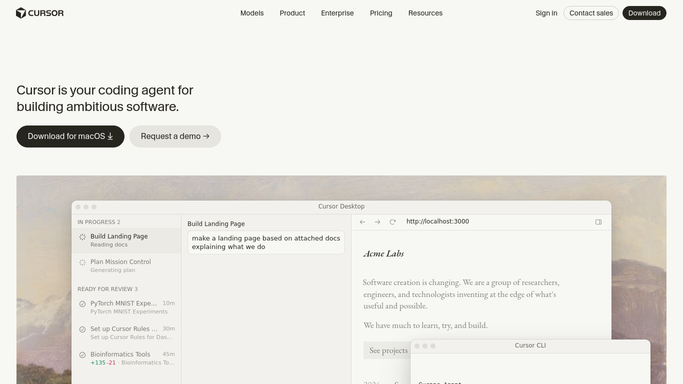
WebRun opens Cursor to read team usage and spend. - Sign into your Cursor account and open the dashboard
- Read the current billing period's usage and spend against the plan allowance
- Capture the seat count and how many days of the period have elapsed
- Work out whether usage is ahead of, on, or behind a straight-line pace
- Only read. Never change the plan, add seats, or buy more usage
Done when This period's usage, allowance, and pace are all captured.
-
2
Slack - post the weekly burn-down
slack.com How to Automate Slack

WebRun opens Slack to post the weekly burn-down. - Post the engineering channel a short burn-down for the current period
- Show usage so far, the allowance, days elapsed, and whether the pace is ahead or behind
- Compare against last week's post so the trend is visible
- Keep it to a few lines so it reads at a glance
Done when The engineering channel has this week's Cursor burn-down in Slack.
-
3
Gmail - draft the finance warning
gmail.com How to Automate Gmail

WebRun opens Gmail to draft the finance warning. - When usage is running ahead of pace, draft a short note to finance in Gmail
- State the current usage, the allowance, and the projected end-of-period figure
- Leave the email as an unsent draft for you to review and send
- Skip the draft entirely on weeks where usage is on or behind pace
Done when A finance note is drafted in Gmail whenever usage is ahead of pace.
How is each run configured?
Secure by default
Connect once, stays signed in
WebRun signs in once and keeps each session in a persistent environment, so every run picks up right where it left off.
Every action is checked against this policy before it runs.
Questions, answered
Will it buy more usage or change the plan?
No. WebRun only reads the usage and billing figures shown in your Cursor dashboard. It never upgrades a plan, adds a seat, or authorises any spend.
Does finance get emailed automatically?
No. The note is left as an unsent Gmail draft and only when usage is ahead of pace. You read it and press send, so finance never hears from the automation directly.
What does ahead of pace mean?
Usage is compared against a straight line through the billing period. If 40 percent of the days have passed but more than 40 percent of the allowance is spent, the run flags it as ahead.
Related templates
Put this on autopilot.
Turn it on in minutes - or have our team set it up for you.