Remind new clients to sign their service agreement
Every morning, WebRun opens Credit Repair Cloud, finds new clients whose onboarding agreement was sent more than two days ago, confirms it's still unsigned in DocuSign, drafts a friendly text reminder in Twilio for a team member to review, and posts the onboarding channel a Slack list of who's still pending.
- No credit card
- Under $0.01 per run
- Cancel anytime
What does WebRun do on every run?
The exact actions WebRun takes, in order - in plain language, so you can adjust anything.
-
WebRun signs in and gets to work
Opens
app.creditrepaircloud.comin a real browser with your saved login - no setup, no API keys. -
1
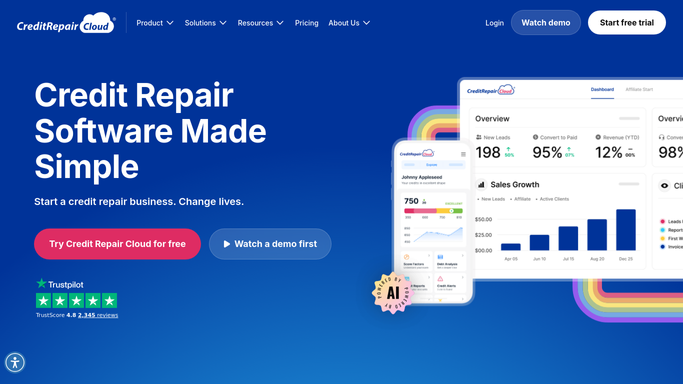
Credit Repair Cloud - find new clients pending signature
creditrepaircloud.com How to Automate Credit Repair Cloud

WebRun opens Credit Repair Cloud to find new clients pending signature. - Open Credit Repair Cloud and filter new clients to onboarding status pending agreement
- Capture the date the agreement was sent and the client's phone number
- Skip anyone whose agreement was sent less than two days ago
Done when Every new client with a pending agreement over two days old has been listed.
-
2
DocuSign - confirm the agreement is still unsigned
docusign.com How to Automate DocuSign
WebRun opens DocuSign to confirm the agreement is still unsigned. - Open DocuSign and confirm the envelope status for each client on the list
- Drop anyone whose envelope shows completed since the Credit Repair Cloud check
- Note the exact envelope link for each still pending client
Done when Every client on the list has a confirmed, still unsigned DocuSign envelope.
-
3
Twilio - draft a signature reminder
twilio.com How to Automate Twilio
WebRun opens Twilio to draft a signature reminder. - Draft a short, friendly text reminding each client to sign their agreement
- Include the direct DocuSign envelope link
- Save every message as a draft. Do not send any text automatically
Done when A signature reminder draft is ready in Twilio for every pending client.
-
4
Slack - list who's still pending
slack.com How to Automate Slack
WebRun opens Slack to list who's still pending. - Post the onboarding channel a list of clients with an unsigned agreement and days pending
- Flag anyone pending more than five days as urgent
- Note that reminder drafts are waiting in Twilio for review
Done when The onboarding team has today's pending signature list in Slack.



How do I remind clients to sign their credit repair service agreement?
Every morning, WebRun opens Credit Repair Cloud, finds new clients whose service agreement has been unsigned for more than two days, and confirms the live envelope status in DocuSign. It drafts a friendly text reminder in Twilio for each one, leaves every draft unsent, and posts the onboarding team a Slack list of who's still pending.
- Unsigned agreements get a drafted reminder within two days instead of stalling onboarding
- Reminders check live DocuSign status, so nobody nags a client who already signed
- The onboarding team works from one pending list instead of two systems
Built for credit repair businesses · credit repair onboarding teams · credit repair agencies
How is each run configured?
Secure by default
Connect once, stays signed in
WebRun signs in once and keeps each session in a persistent environment, so every run picks up right where it left off.
Every action is checked against this policy before it runs.
Questions, answered
Will it text new clients without a person checking first?
No. Every reminder is drafted in Twilio and left unsent. A team member reviews and sends it, so no client gets a text without approval first.
How does it confirm the agreement is really still unsigned?
It checks the live envelope status in DocuSign at run time, not just the status stored in Credit Repair Cloud, so a client who just signed is not reminded by mistake.
When does a client start getting reminders?
Two days after their agreement was sent, giving clients a reasonable window before the first nudge, and again if it's still unsigned after five days.
Related templates
Put this on autopilot.
Turn it on in minutes - or have our team set it up for you.