Never miss a TTB filing deadline again
Every Monday, WebRun checks how many days remain until your next TTB excise tax filing deadline, opens Ekos to confirm production and removal figures for the current period are recorded, checks QuickBooks to confirm the prior period's tax payment posted, and sends a countdown reminder to Telegram naming exactly what is still outstanding.
- No credit card
- Under $0.01 per run
- Cancel anytime
What does WebRun do on every run?
The exact actions WebRun takes, in order - in plain language, so you can adjust anything.
-
WebRun signs in and gets to work
Opens
app.goekos.comin a real browser with your saved login - no setup, no API keys. -
1
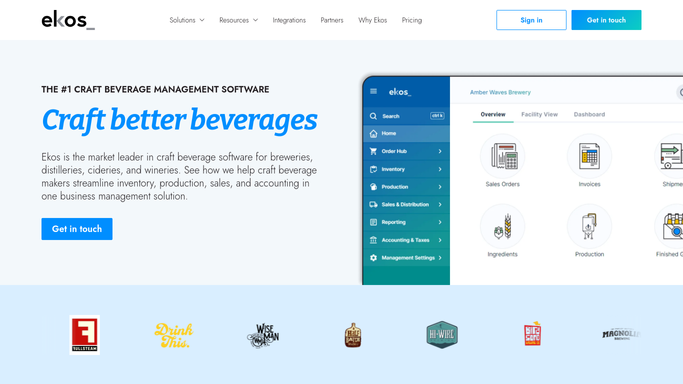
Ekos - confirm production and removal figures are recorded
goekos.com How to Automate Ekos

WebRun opens Ekos to confirm production and removal figures are recorded. - Open Ekos and go to compliance or production reporting
- Confirm production volume and taxable removals are recorded for the current reporting period
- Flag any batch or removal entry that looks incomplete or missing a tax determination
Done when The current period's production and removal figures in Ekos are confirmed complete or flagged as missing.
-
2
QuickBooks - confirm the prior filing's tax payment posted
- Open QuickBooks and check whether the prior period's TTB tax payment was recorded as paid
- Note the amount and date if it was paid, or flag it as still outstanding
Done when The prior filing period's tax payment status in QuickBooks is confirmed.
-
3
Telegram - send the filing deadline countdown
telegram.org How to Automate Telegram
WebRun opens Telegram to send the filing deadline countdown. - Send a countdown message with the number of days until the next TTB filing deadline
- List anything still outstanding, such as unrecorded removals in Ekos or an unposted payment in QuickBooks
- Increase reminder frequency to daily in the final week before the deadline
Done when The compliance owner has a current countdown with a clear list of what is still outstanding.

How do I make sure I never miss a TTB excise tax filing deadline?
WebRun tracks your TTB excise tax filing calendar, confirms production and removal figures are recorded in Ekos, checks QuickBooks to confirm the prior period's payment posted, and sends a countdown reminder to Telegram every Monday naming anything still outstanding, switching to daily reminders in the final week so no filing deadline is missed.
- The TTB deadline countdown lands in Telegram every week with no manual tracking
- Missing production or removal entries surface before filing day, not after
- Reminders escalate to daily in the final week before each deadline
Built for craft breweries · compliance managers · brewery owners · brewery accountants
How is each run configured?
Secure by default
Connect once, stays signed in
WebRun signs in once and keeps each session in a persistent environment, so every run picks up right where it left off.
Every action is checked against this policy before it runs.
Questions, answered
Does it file the TTB report for me?
No. WebRun only tracks the deadline and confirms your figures are recorded. The actual TTB filing is submitted by a human, using the confirmed numbers as a starting point.
How far ahead does it start reminding?
It sends a weekly countdown from the Monday after your last filing, then switches to a daily reminder in the final week before each deadline so nothing sneaks up on you.
What counts as still outstanding?
Any batch or removal in Ekos missing a tax determination, or a prior period's TTB payment not yet marked paid in QuickBooks. Both are named directly in the Telegram message.
Related templates
Put this on autopilot.
Turn it on in minutes - or have our team set it up for you.