Catch low hops and malt before brew day is at risk
Every morning, WebRun opens Ekos, checks on hand quantities of hops, malt, yeast, and packaging against the reorder point set for each, checks QuickBooks for any purchase order already placed with the supplier, and posts a Slack alert listing what still needs to be reordered so your purchasing manager can place the order.
- No credit card
- Under $0.01 per run
- Cancel anytime
What does WebRun do on every run?
The exact actions WebRun takes, in order - in plain language, so you can adjust anything.
-
WebRun signs in and gets to work
Opens
app.goekos.comin a real browser with your saved login - no setup, no API keys. -
1
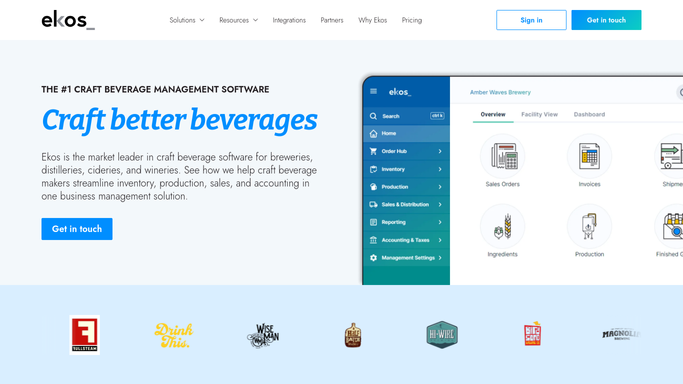
Ekos - check raw material levels against reorder points
goekos.com How to Automate Ekos

WebRun opens Ekos to check raw material levels against reorder points. - Open Ekos and go to raw material inventory
- Check on hand quantity for every hop, malt, yeast, and packaging line item
- Compare each against its set reorder point
- List every item now at or below its reorder point with the quantity on hand
Done when Every raw material item at or below its reorder point is listed with quantity on hand.
-
2
QuickBooks - check for a purchase order already outstanding
- Open QuickBooks and check open purchase orders for each flagged item's supplier
- Mark any flagged item that already has an outstanding order so it is not reordered twice
Done when Every flagged item has been checked against outstanding purchase orders in QuickBooks.
-
3
Slack - post the reorder list
slack.com How to Automate Slack
WebRun opens Slack to post the reorder list. - Post the reorder list to your purchasing channel
- Show item, quantity on hand, reorder point, and preferred supplier for each
- Mark any item already on order so the purchasing manager does not duplicate it
Done when Purchasing has today's reorder list in Slack with duplicate orders already ruled out.

How do I get alerted before brewing ingredients run low?
WebRun checks on hand quantities of hops, malt, yeast, and packaging in Ekos every morning against the reorder point set for each, checks QuickBooks so nothing already on order gets duplicated, and posts a Slack list naming exactly what to reorder and from whom, so your purchasing manager never finds out an ingredient ran out on brew day.
- Low ingredient levels surface before they threaten a scheduled brew
- Purchasing gets one list instead of checking two systems by hand
- Duplicate purchase orders drop out automatically using live QuickBooks data
Built for craft breweries · purchasing managers · head brewers · operations managers
How is each run configured?
Secure by default
Connect once, stays signed in
WebRun signs in once and keeps each session in a persistent environment, so every run picks up right where it left off.
Every action is checked against this policy before it runs.
Questions, answered
Does it place the purchase order automatically?
No. WebRun only lists what needs reordering and who the supplier is. Placing the actual order stays with your purchasing manager.
How does it avoid ordering something twice?
It checks QuickBooks for an open purchase order against each flagged item's supplier before adding it to the list, so anything already on order is marked instead of repeated.
Who sets the reorder point for each ingredient?
You do, inside Ekos. WebRun only reads the reorder points already set there. It does not decide what counts as low stock.
Related templates
Put this on autopilot.
Turn it on in minutes - or have our team set it up for you.