Get warned before your mailbox runs out of time
Every Monday, WebRun signs in to CounterMail, reads the subscription expiry date and how much mailbox storage is used against your allowance, records both in Airtable with the trend, and files a dated record in Google Drive so renewal never arrives as a surprise.
- No credit card
- Under $0.01 per run
- Cancel anytime
How do I get warned before my mailbox subscription expires?
WebRun signs in to CounterMail every Monday and reads how many days your subscription has left and how much mailbox storage is used against your allowance. It logs both in Airtable with the growth trend and files a dated record in Google Drive, so an encrypted mailbox never quietly stops accepting mail.
- Renewal is known weeks ahead, not on the day it lapses
- Storage growth is projected, so the allowance never fills unexpectedly
- A dated history of the account you can audit at any time
Built for privacy-conscious users · journalists · legal professionals · small businesses
What does WebRun do on every run?
The exact actions WebRun takes, in order - in plain language, so you can adjust anything.
-
WebRun signs in and gets to work
Opens
countermail.comin a real browser with your saved login - no setup, no API keys. -
1
CounterMail - read expiry and storage use
countermail.com
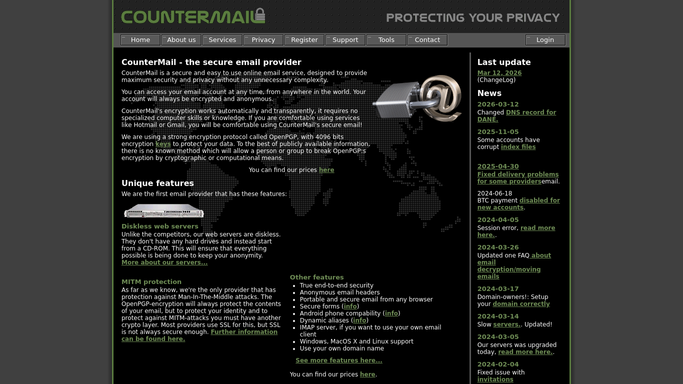
WebRun opens CounterMail to read expiry and storage use. - Sign in to CounterMail and open your account details
- Read the subscription expiry date and work out how many days remain
- Read the mailbox storage used against the allowance on your account
- Note how many messages the mailbox currently holds
Done when The expiry date, days remaining, and storage used are captured.
-
2
Airtable - log the trend and flag risk
airtable.com How to Automate Airtable

WebRun opens Airtable to log the trend and flag risk. - Append this week's expiry date, days remaining, and storage used to your account tracker
- Work out the storage growth rate and project when the allowance runs out
- Flag the row when either the expiry or the projected storage limit falls inside your warning window
- Keep the history so growth over months is visible
Done when This week's row is logged and flagged if either limit is close.
-
3
Google Drive - file the dated record
drive.google.com How to Automate Google Drive

WebRun opens Google Drive to file the dated record. - Save a dated record to your admin folder in Google Drive
- Lead the file with days to expiry and the projected storage runway
- Keep each week's file so the renewal history is auditable
- Never store mailbox contents, only the account figures
Done when This week's dated account record is filed in Drive.
How is each run configured?
Secure by default
Connect once, stays signed in
WebRun signs in once and keeps each session in a persistent environment, so every run picks up right where it left off.
Every action is checked against this policy before it runs.
Questions, answered
Will it renew the subscription or buy storage?
No. WebRun only reads and reports the account figures. Renewing, paying, or adding storage is always done by you, and no payment is ever made on your behalf.
Does it read my emails?
No. It reads the account details only: the expiry date, the storage used, and the message count. No message content is opened, copied, or stored anywhere.
How early does it warn me?
As early as the warning window you set, and it also projects storage forward at your current growth rate, so both limits are flagged while there is still time to act.
Related templates
Put this on autopilot.
Turn it on in minutes - or have our team set it up for you.