Ask for the recommendation while the client is still delighted
Every Monday, WebRun opens Contra, finds the projects you finished recently that still have no client recommendation, drafts a short personalised ask for each one, logs them in Google Sheets with the client and completion date, and books a short calendar slot for you to review and send.
- No credit card
- Under $0.01 per run
- Cancel anytime
What does WebRun do on every run?
The exact actions WebRun takes, in order - in plain language, so you can adjust anything.
-
WebRun signs in and gets to work
Opens
contra.comin a real browser with your saved login - no setup, no API keys. -
1
Contra - find finished projects with no recommendation
contra.com

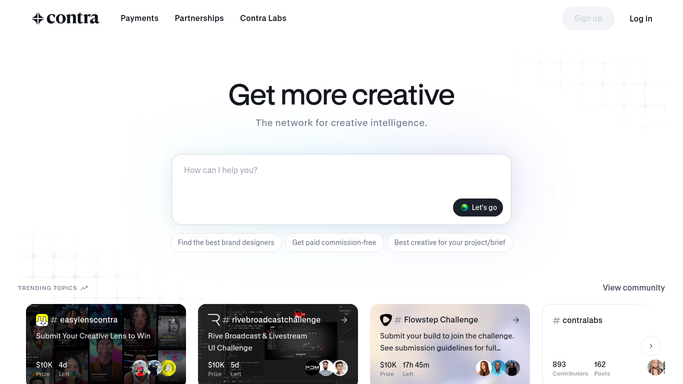
WebRun opens Contra to find finished projects with no recommendation. - Open Contra and list the projects marked complete in the last few weeks
- Check each one for an existing client recommendation on your profile
- For every project with no recommendation, draft a short, specific ask naming the work you delivered and leave it unsent
Done when Every recently finished project without a recommendation has a drafted ask waiting.
-
2
Google Sheets - log the drafted asks
google.com How to Automate Google Sheets
WebRun opens Google Sheets to log the drafted asks. - Add a row per project with the client, the service delivered, the completion date, and the drafted message
- Mark projects where you already asked so nobody is chased twice
- Sort so the most recently finished work sits at the top while it is still fresh
Done when Every drafted ask is logged with its client and completion date.
-
3
Google Calendar - book time to send them
calendar.google.com How to Automate Google Calendar
WebRun opens Google Calendar to book time to send them. - Create a short private hold in your own calendar to review and send the drafts
- Put the number of pending asks in the event title
- Skip the hold in any week where there is nothing new to ask for
Done when A review slot is booked whenever there are drafted asks waiting.


How do I follow up for client recommendations after a project ends?
WebRun opens Contra every Monday, finds the projects you finished recently that still have no client recommendation, and drafts a short personalised ask for each one. It logs the drafts in Google Sheets with the client and completion date and books a calendar slot to send them, so your profile keeps growing between briefs.
- The ask goes out while the work is still fresh
- No client is asked twice for the same project
- Your profile keeps collecting proof between briefs
Built for freelancers · independent designers · consultants · contract developers
How is each run configured?
Secure by default
Connect once, stays signed in
WebRun signs in once and keeps each session in a persistent environment, so every run picks up right where it left off.
Every action is checked against this policy before it runs.
Questions, answered
Will it message my clients on its own?
No. Every ask is drafted and left unsent for you to review. A recommendation request goes to a paying client in your name, so a person reads it and presses send.
Does each client get the same message?
No. Each draft names the specific project, the service you delivered, and roughly when it finished. Give WebRun a tone or a past example and it matches your voice.
Will it ask the same client twice?
No. Projects you already asked about are marked in the sheet and skipped on later runs, and a project drops off entirely once the recommendation appears on your profile.
Related templates
Put this on autopilot.
Turn it on in minutes - or have our team set it up for you.