Send progress billing reminders before draw deadlines slip past
Every Monday, WebRun opens Knowify, identifies active jobs with AIA or progress billing milestones due in the next 7 days, logs them to a Google Sheet, and posts a billing reminder to Slack so your team knows exactly which draws to prepare this week.
- No credit card
- Under $0.01 per run
- Cancel anytime
What does WebRun do on every run?
The exact actions WebRun takes, in order - in plain language, so you can adjust anything.
-
WebRun signs in and gets to work
Opens
app.knowify.comin a real browser with your saved login - no setup, no API keys. -
1
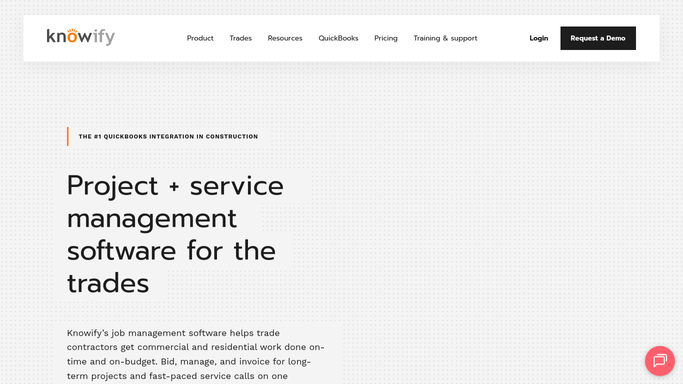
Knowify - identify progress billing milestones due this week
knowify.com How to Automate Knowify

WebRun opens Knowify to identify progress billing milestones due this week. - Open Knowify and navigate to active jobs with progress billing or AIA billing schedules
- Identify any billing milestones or scheduled draw dates falling within the next 7 days
- Capture the job name, milestone description, draw amount, and due date for each
Done when Every progress billing milestone due in the next 7 days is listed with its job, draw amount, and due date.
-
2
Google Sheets - log upcoming billing milestones and draw amounts
google.com How to Automate Google Sheets
WebRun opens Google Sheets to log upcoming billing milestones and draw amounts. - Open the billing milestone tracking Google Sheet (create it on first run)
- Log each upcoming milestone with job name, draw amount, due date, and billing status
- Mark any milestones that have already been invoiced this period
Done when The Google Sheet reflects all upcoming billing milestones for the current week.
-
3
Slack - post a billing reminder with the week's draw schedule
slack.com How to Automate Slack
WebRun opens Slack to post a billing reminder with the week's draw schedule. - Post a billing reminder to the finance or PM Slack channel listing this week's upcoming draw milestones
- Include the job name, draw amount, and deadline for each milestone
- Highlight any milestone due within 48 hours
Done when Your billing or PM team has this week's draw schedule in Slack.


How do I automatically track upcoming progress billing milestones in Knowify?
WebRun opens Knowify every Monday, finds progress billing milestones due in the next 7 days across all active concrete and paving jobs, logs them to Google Sheets, and posts a draw schedule to Slack. Your billing team sees exactly what to invoice this week, so no draw deadline slips through.
- No draw deadline is missed because a billing milestone sat unnoticed in Knowify
- Billing teams start Monday with a ranked draw schedule in Slack
- A Google Sheet gives owners a running log of all milestones across every active job
Built for concrete contractors · paving contractors · construction billing managers · project managers
How is each run configured?
Secure by default
Connect once, stays signed in
WebRun signs in once and keeps each session in a persistent environment, so every run picks up right where it left off.
Every action is checked against this policy before it runs.
Questions, answered
Will it create or send invoices automatically?
No. WebRun surfaces which billing milestones are coming due and reminds your team in Slack. It does not create invoices in Knowify or send anything to a client without your team taking action.
Does it work with AIA-style billing as well as simple progress billing?
Yes. Knowify supports both AIA billing and standard progress billing schedules. WebRun reads whichever format is configured for each job and surfaces the upcoming milestones the same way.
What if a billing milestone date changes mid-project?
WebRun reads the live billing schedule from Knowify each Monday. Update the milestone date in Knowify and the next Monday's digest will reflect the change automatically.
Related templates
Put this on autopilot.
Turn it on in minutes - or have our team set it up for you.