Collect outstanding lien waivers before they block your draws
Every Monday, WebRun opens Knowify, identifies jobs with missing or outstanding lien waivers from subcontractors or suppliers, logs the status to a Google Sheet, and drafts a collection request email in Gmail for each outstanding waiver so your draws stay on track.
- No credit card
- Under $0.01 per run
- Cancel anytime
What does WebRun do on every run?
The exact actions WebRun takes, in order - in plain language, so you can adjust anything.
-
WebRun signs in and gets to work
Opens
app.knowify.comin a real browser with your saved login - no setup, no API keys. -
1
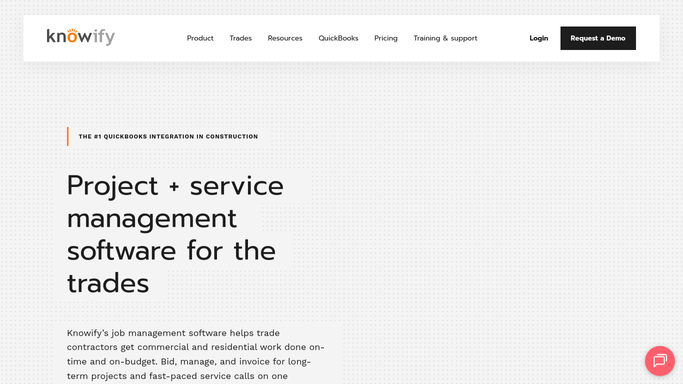
Knowify - find jobs with outstanding or missing lien waivers
knowify.com How to Automate Knowify

WebRun opens Knowify to find jobs with outstanding or missing lien waivers. - Open Knowify and navigate to the Documents or Subcontractor section
- Identify jobs where lien waivers from subcontractors or suppliers have not been received
- Capture the job name, subcontractor or supplier name, waiver type, and date it was due
Done when Every outstanding lien waiver is listed with the job, party, type, and days overdue.
-
2
Google Sheets - log lien waiver status and outstanding items
google.com How to Automate Google Sheets
WebRun opens Google Sheets to log lien waiver status and outstanding items. - Open the lien waiver tracking Google Sheet (create it on first run)
- Log each outstanding waiver with job name, party, waiver type, due date, and days overdue
- Update the status of any previously outstanding waivers that have since been received
Done when The Google Sheet reflects the current lien waiver status for all active jobs.
-
3
Gmail - draft collection request emails for each outstanding waiver
gmail.com How to Automate Gmail
WebRun opens Gmail to draft collection request emails for each outstanding waiver. - Draft a polite collection request email for each party with an outstanding waiver
- Reference the specific job and waiver type in each email
- Leave every email as a draft in Gmail. Do not send without your review and approval
Done when A draft collection request email is ready in Gmail for each outstanding lien waiver.


How do I automatically track and chase missing lien waivers on concrete jobs?
WebRun opens Knowify every Monday, finds jobs with outstanding lien waivers from subcontractors or suppliers, logs the status to a Google Sheet tracker, and drafts a collection request email in Gmail for each missing waiver. Your PM reviews and sends the requests. Nothing goes out without your approval.
- Missing waivers surface every Monday before they block a draw request
- A live Google Sheet gives your PM a single view of all waiver statuses across active jobs
- Draft emails are ready to send with one click, saving 30 or more minutes of manual chasing per week
Built for concrete contractors · paving contractors · general contractors · construction project managers
How is each run configured?
Secure by default
Connect once, stays signed in
WebRun signs in once and keeps each session in a persistent environment, so every run picks up right where it left off.
Every action is checked against this policy before it runs.
Questions, answered
Will it email subcontractors automatically?
No. Every collection request is drafted in Gmail and held for your review. WebRun does not send any message to a subcontractor or supplier without you approving and sending it yourself.
How does it know which waivers are missing?
WebRun reads the documents and subcontractor records in Knowify each Monday. Any waiver that should have been received for a completed or in-progress draw but is not yet filed is flagged as outstanding.
Can it track conditional and unconditional waivers separately?
Yes. During setup you can configure WebRun to track conditional and unconditional waivers as separate line items in the Google Sheet and in the draft emails.
Related templates
Put this on autopilot.
Turn it on in minutes - or have our team set it up for you.