Turn CodeRabbit reviews into a daily findings digest
Every morning, WebRun opens CodeRabbit, reads its automated review comments on every pull request from the day before, posts a findings digest to Telegram grouped by severity, and texts the tech lead through Twilio when a critical issue was flagged overnight.
- No credit card
- Under $0.01 per run
- Cancel anytime
How do I get a daily summary of CodeRabbit's automated review findings?
WebRun reads every automated CodeRabbit review comment left on yesterday's pull requests each morning, groups the findings by severity, and posts the digest to Telegram with links to each PR. When a critical issue was flagged overnight it also texts the tech lead through Twilio, so a real problem gets attention before the day's other reviews pile on top.
- Critical findings reach the tech lead the same morning they're flagged
- Repeated issues across PRs get noticed instead of reviewed in isolation
- Every repository gets checked, not just the ones people remember
Built for Engineering managers · tech leads · platform teams · software agencies
What does WebRun do on every run?
The exact actions WebRun takes, in order - in plain language, so you can adjust anything.
-
WebRun signs in and gets to work
Opens
coderabbit.aiin a real browser with your saved login - no setup, no API keys. -
1
CodeRabbit - read yesterday's review comments
coderabbit.ai
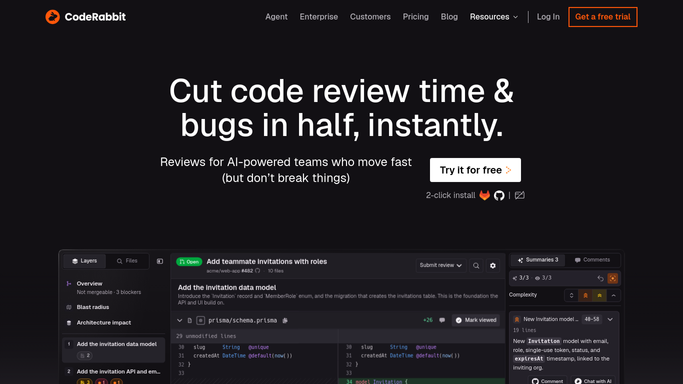
WebRun reads yesterday's review comments in CodeRabbit. - Open the review history for the past day
- Read every automated comment left on each pull request
- Group findings by severity
Done when Every review comment from the day is captured and grouped.
-
2
Telegram - post the findings digest
telegram.org How to Automate Telegram

WebRun posts the findings digest in Telegram. - Post a digest of findings grouped by severity
- Link to each pull request
- Highlight repeated issues across PRs
Done when The team has today's findings digest in Telegram.
-
3
Twilio - text the tech lead on critical issues
twilio.com How to Automate Twilio

WebRun texts the tech lead through Twilio on critical issues. - Text the tech lead when a critical issue was flagged overnight
- Name the pull request and the issue
- Stay quiet when nothing critical came up
Done when The tech lead is texted only for genuinely critical findings.
How is each run configured?
Secure by default
Connect once, stays signed in
WebRun signs in once and keeps each session in a persistent environment, so every run picks up right where it left off.
Every action is checked against this policy before it runs.
Questions, answered
Will it fix the flagged code itself?
No. WebRun only reads and reports CodeRabbit's findings. Fixing the code stays a manual step for the pull request's author.
What counts as critical?
Whatever CodeRabbit itself flags at its highest severity level, like a security or correctness issue.
Does it cover every repository?
Yes. It reads reviews across every repository CodeRabbit is connected to, not just one.
Related templates
Put this on autopilot.
Turn it on in minutes - or have our team set it up for you.