Win back cider club members who lapsed
Every Monday, WebRun opens Arryved, finds cider club members who lapsed in the last few months and never renewed, drafts a friendly win-back email for each in Gmail, and logs the win-back list to Google Sheets so your team reviews and approves before any message reaches a former member.
- No credit card
- Under $0.01 per run
- Cancel anytime
What does WebRun do on every run?
The exact actions WebRun takes, in order - in plain language, so you can adjust anything.
-
WebRun signs in and gets to work
Opens
www.arryved.comin a real browser with your saved login - no setup, no API keys. -
1
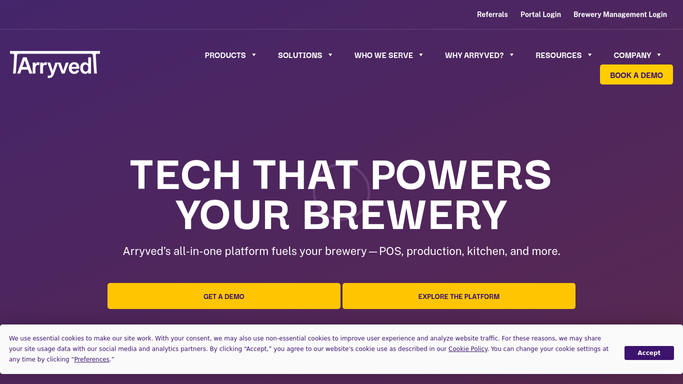
Arryved - find lapsed members
arryved.com How to Automate Arryved

WebRun opens Arryved to find lapsed club members. - Open Arryved and go to the membership and loyalty records
- Find members whose membership expired in the last two to four months and did not renew
- Capture each member's name, email, former tier, and how long they were a member
- Skip anyone who has already rejoined or opted out of marketing
Done when A list of genuinely lapsed members is ready, with contact details and former tier.
-
2
Gmail - draft win-back emails
gmail.com How to Automate Gmail
WebRun opens Gmail to draft the win-back emails. - Draft a friendly, on-brand win-back email for each lapsed member
- Name the member, acknowledge their time in the club, and offer a reason to rejoin
- Leave every email as a Gmail draft, unsent, for your team to review
- Never send a win-back email on its own
Done when A personalized win-back email is drafted and left unsent for each lapsed member.
-
3
Google Sheets - log the win-back list
google.com How to Automate Google Sheets
WebRun opens Google Sheets to log the win-back list. - Open your win-back tracking Google Sheet
- Add a row for each lapsed member with their tier, lapse date, and draft status
- Keep a column to mark outcome later, such as rejoined or no response
- Use it as the running list your team works through each week
Done when Every lapsed member this week is logged in the win-back sheet with a draft ready to review.


How do I win back cider club members who let their membership lapse?
WebRun opens Arryved every Monday, finds cider club members who lapsed in the last few months without renewing, and drafts a friendly win-back email for each in Gmail. It logs every lapsed member to a Google Sheet with their tier and status, so your team reviews and approves before any message sends and can track who rejoins.
- Lapsed members get a personal win-back nudge instead of being forgotten
- No former member is emailed without team approval
- The rejoin list is tracked in a sheet, so win-back results are measurable
Built for cideries · cider clubs · marketing teams · membership coordinators · taproom managers
How is each run configured?
Secure by default
Connect once, stays signed in
WebRun signs in once and keeps each session in a persistent environment, so every run picks up right where it left off.
Every action is checked against this policy before it runs.
Questions, answered
Will it email lapsed members without me?
No. Every win-back email is left as a Gmail draft and the list is logged to Google Sheets for review. No former member is contacted until your team approves and sends the message.
How does it decide who counts as lapsed?
It reads Arryved for members whose membership expired in the last two to four months without renewing, and skips anyone who already rejoined or opted out, so outreach targets real lapsed members.
Can it track who comes back?
Yes. It logs each lapsed member to a Google Sheet with a column for the outcome, so your team can mark who rejoined or did not respond and measure how well the win-back is working.
Related templates
Put this on autopilot.
Turn it on in minutes - or have our team set it up for you.