Build your clinic's reputation with post-visit review requests
Every evening, WebRun opens Jane, finds patients who completed an appointment that day, drafts a friendly review request for each, queues them in Gmail for staff approval, and posts a Slack note on how many review requests are ready to send.
- No credit card
- Under $0.01 per run
- Cancel anytime
What does WebRun do on every run?
The exact actions WebRun takes, in order - in plain language, so you can adjust anything.
-
WebRun signs in and gets to work
Opens
jane.appin a real browser with your saved login - no setup, no API keys. -
1
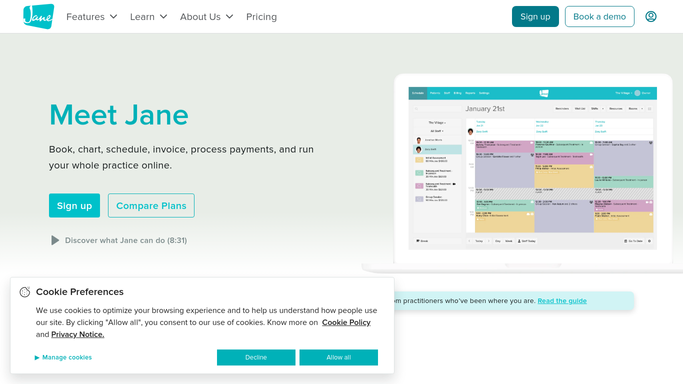
Jane - find today's completed appointments
jane.app How to Automate Jane

WebRun opens Jane to find today's completed appointments. - Open Jane and pull today's list of completed appointments
- Filter out any patient who received a review request in the past 90 days
- Note each patient's name, appointment type, and treating provider
Done when All eligible patients from today's completed appointments are identified.
-
2
Gmail - draft personalised review request per patient
gmail.com How to Automate Gmail
WebRun opens Gmail to draft personalised review request per patient. - Draft a warm, personalised review request for each eligible patient
- Include a direct link to the clinic's Google review page
- Reference the appointment type or provider where appropriate to personalise the message
- Save every draft unsent in Gmail for staff review before any message is sent
- Never send a review request to a patient without staff approval
Done when A Gmail review request draft is saved for every eligible patient from today's visits.
-
3
Slack - notify staff how many drafts are queued
slack.com How to Automate Slack
WebRun opens Slack to notify staff how many drafts are queued. - Post a nightly Slack note to the front-desk channel
- State how many review request drafts are queued in Gmail for tomorrow morning
- Include a reminder to check Gmail before the first patient of the day
Done when Staff are notified in Slack that review request drafts are waiting for their approval.


How do I automatically request reviews from chiropractic patients after their visit?
Every evening, WebRun opens Jane and identifies patients who completed a visit that day and have not received a review request in the past 90 days. It drafts a personalised review request with a direct review link in Gmail for each patient. Staff approve and send the drafts next morning, steadily growing the clinic's online reputation.
- Every eligible patient receives a personalised review request after their visit without manual effort
- The 90-day cooldown prevents over-messaging and keeps patient relationships positive
- Staff approve drafts in seconds each morning instead of writing review requests from scratch
Built for chiropractic clinics · chiropractic front desk staff · solo and group chiro practices
How is each run configured?
Secure by default
Connect once, stays signed in
WebRun signs in once and keeps each session in a persistent environment, so every run picks up right where it left off.
Every action is checked against this policy before it runs.
Questions, answered
Will it send review requests to patients without staff approval?
No. Every review request is saved as a Gmail draft and left unsent until a staff member reviews and approves it. No patient message is sent automatically.
Will the same patient receive a review request after every visit?
No. WebRun applies a 90-day cooldown per patient, so a patient who was recently asked for a review is skipped automatically until the cooldown expires.
Can it send to a specific review platform other than Google?
Yes. Staff configure the preferred review platform link once during setup and WebRun inserts that link into every draft, whether it is Google, Yelp, Healthgrades, or another platform.
Related templates
Put this on autopilot.
Turn it on in minutes - or have our team set it up for you.