Catch Smart Service invoices that never made it to QuickBooks
Every hour, WebRun compares completed and invoiced jobs in Smart Service against what has actually synced into QuickBooks, logs any job that is missing, duplicated, or mismatched in amount to a shared Google Sheet, and posts your office a Slack alert the moment a sync exception appears.
- No credit card
- Under $0.01 per run
- Cancel anytime
What does WebRun do on every run?
The exact actions WebRun takes, in order - in plain language, so you can adjust anything.
-
WebRun signs in and gets to work
Opens
smartservice.comin a real browser with your saved login - no setup, no API keys. -
1
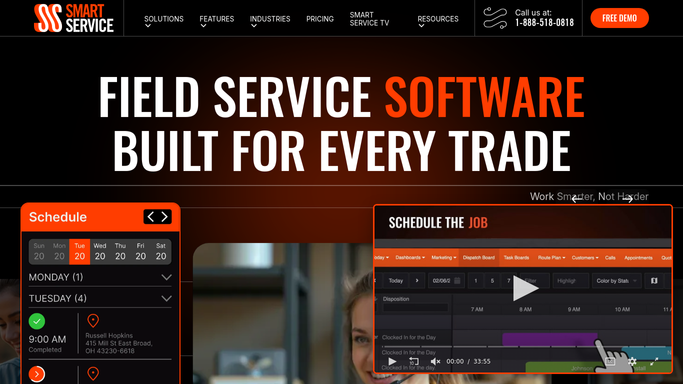
Smart Service - list completed and invoiced jobs
smartservice.com How to Automate Smart Service

WebRun opens Smart Service to list completed and invoiced jobs. - Open Smart Service and pull jobs marked completed and invoiced in the last 24 hours
- Capture the job, customer, invoice number, and amount for each
Done when Every job marked invoiced in the last 24 hours is listed with its details.
-
2
QuickBooks - check which invoices actually synced
- Look up the matching invoice in QuickBooks for each job
- Compare the invoice number, customer, and amount against the Smart Service record
- Flag anything missing entirely, duplicated, or off by more than a rounding difference
Done when Every Smart Service invoice has been checked against QuickBooks for a match.
-
3
Google Sheets - log every mismatch found
google.com How to Automate Google Sheets
WebRun opens Google Sheets to log every mismatch found. - Log every mismatch to a shared Google Sheet with the job, the discrepancy, and the amount
- Keep a running history so the office can see patterns over time
Done when Every sync exception found this run is logged in the sheet.
-
4
Slack - alert the office to sync exceptions
slack.com How to Automate Slack
WebRun opens Slack to alert the office to sync exceptions. - Post an alert to the office Slack channel the moment a new sync exception is logged
- Include a link to the row in the Google Sheet
Done when The office is alerted in Slack within the hour a sync exception appears.


How do I catch Smart Service jobs that never synced to QuickBooks?
Every hour, WebRun compares completed jobs in Smart Service against synced invoices in QuickBooks, logs any job that is missing, duplicated, or mismatched in amount to a shared Google Sheet, and posts your office a Slack alert the moment an exception appears. It only reads QuickBooks data, it never creates or sends an invoice.
- Sync failures are caught the same business day, not at month end reconciliation
- Every exception is logged with a full history in Google Sheets
- QuickBooks is only ever read, never edited or sent to automatically
Built for chimney sweep companies · field service billing teams · bookkeepers and office managers
How is each run configured?
Secure by default
Connect once, stays signed in
WebRun signs in once and keeps each session in a persistent environment, so every run picks up right where it left off.
Every action is checked against this policy before it runs.
Questions, answered
Does this ever change or send anything in QuickBooks?
No. WebRun only reads invoice data in QuickBooks to compare it against Smart Service. It never creates, edits, or sends an invoice. It only logs the mismatch and alerts your office.
What counts as a sync exception?
A Smart Service job marked invoiced with no matching QuickBooks invoice, a duplicate invoice, or an invoice whose amount does not match the job total by more than a rounding difference.
How quickly will we know about a missed sync?
Within the hour. WebRun checks every hour during business hours, so a sync failure gets logged and alerted the same business day it happens, not weeks later at reconciliation.
Related templates
Put this on autopilot.
Turn it on in minutes - or have our team set it up for you.