Get today's crew route sheet in Slack before the trucks roll
Every morning before the trucks roll, WebRun opens Smart Service, pulls today's scheduled jobs for each technician, checks Google Calendar for confirmed appointment windows, and posts a clean route sheet to your crew's Slack channel with stops in order.
- No credit card
- Under $0.01 per run
- Cancel anytime
What does WebRun do on every run?
The exact actions WebRun takes, in order - in plain language, so you can adjust anything.
-
WebRun signs in and gets to work
Opens
smartservice.comin a real browser with your saved login - no setup, no API keys. -
1
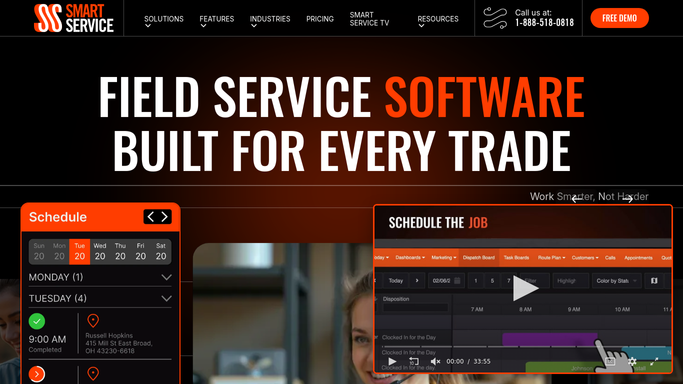
Smart Service - pull today's scheduled jobs
smartservice.com How to Automate Smart Service

WebRun opens Smart Service to pull today's scheduled jobs. - Open Smart Service and pull every job scheduled for today by technician
- Capture the customer address, job type, and estimated duration for each stop
- Flag any job still marked unconfirmed
Done when Every technician's full job list for today is pulled with addresses and job types.
-
2
Google Calendar - confirm each appointment window
calendar.google.com How to Automate Google Calendar
WebRun opens Google Calendar to confirm each appointment window. - Check each technician's Google Calendar for the confirmed appointment window
- Order the stops for each technician by appointment time and drive distance
- Note any gap or conflict between two back to back appointments
Done when Each technician's stops are ordered by time with any conflict flagged.
-
3
Slack - post the ordered route sheet
slack.com How to Automate Slack
WebRun opens Slack to post the ordered route sheet. - Post each technician's ordered route sheet to the crew Slack channel
- Include the address, job type, and appointment window for every stop
- Tag the office manager on any unconfirmed job so they can call ahead
Done when Every technician has their ordered route sheet in Slack before their first stop.


How do I get my chimney crew an ordered route sheet every morning?
Every morning before the trucks roll, WebRun pulls today's scheduled jobs from Smart Service, checks each technician's confirmed window in Google Calendar, and posts an ordered route sheet to your crew's Slack channel with every stop's address, job type, and time. Unconfirmed jobs are flagged so the office can call ahead.
- Every technician starts the day with one ordered route sheet in Slack
- Unconfirmed appointments are flagged before the crew drives out
- Office and crew stop cross checking Smart Service and Calendar separately
Built for chimney sweep companies · field service dispatchers · multi-crew home service businesses
How is each run configured?
Secure by default
Connect once, stays signed in
WebRun signs in once and keeps each session in a persistent environment, so every run picks up right where it left off.
Every action is checked against this policy before it runs.
Questions, answered
Does the crew need to check two different apps for their schedule?
No. The finished route sheet posts straight to Slack with every stop in order, so technicians open one channel each morning instead of checking Smart Service and Calendar separately.
What happens with an unconfirmed appointment?
It still shows on the route sheet but gets flagged and the office manager is tagged in Slack, so someone can call the customer to confirm before the technician drives out.
Does this ever contact the customer directly?
No. This workflow only builds and posts the internal route sheet for your crew. Any call to confirm an appointment is made by your office team, not by WebRun.
Related templates
Put this on autopilot.
Turn it on in minutes - or have our team set it up for you.