File every mail attachment where you can find it later
Every night, WebRun opens Centrum Mail, goes through the messages that arrived that day, records every attachment in a dated Notion register with the file name, sender, subject and received date, links each row back to its message, and posts the night's list to Microsoft Teams.
- No credit card
- Under $0.01 per run
- Cancel anytime
How do I keep track of the attachments arriving in my mailbox?
WebRun signs in to Centrum Mail every night, goes through the day's messages, and records every attachment in a dated Notion register with its file name, sender, subject and received date. It posts the night's list to Microsoft Teams, so a document is found by searching rather than by digging.
- Every attachment is dated and searchable the night it arrives
- Documents are found by sender and subject, not by scrolling a mailbox
- The mailbox itself is left untouched, with nothing read, moved, or deleted
Built for office administrators · bookkeepers · small business owners · operations teams
What does WebRun do on every run?
The exact actions WebRun takes, in order - in plain language, so you can adjust anything.
-
WebRun signs in and gets to work
Opens
centrum.skin a real browser with your saved login - no setup, no API keys. -
1
Centrum Mail - collect the day's attachments
centrum.sk
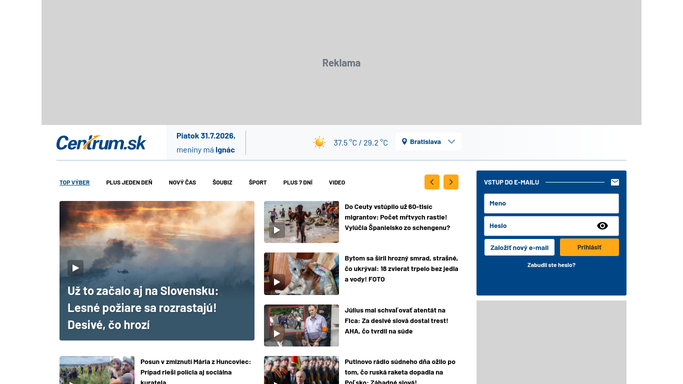
WebRun opens Centrum Mail to collect the day's attachments. - Sign in to Centrum Mail and go through the messages received today
- Check the folders you name, not just the inbox
- Note every message carrying an attachment, with the file name and type
- Record the sender, the subject, and the received date for each
- Leave every message where it is and mark nothing as read
Done when Every attachment that arrived today is captured with its sender, subject, and date.
-
2
Notion - record them in a dated register
notion.so How to Automate Notion

WebRun opens Notion to record them in a dated register. - Open your document register in Notion and add a row per attachment
- Fill the file name, the sender, the subject, the received date, and the folder it came from
- Group tonight's rows under a dated heading so a month reads in order
- Link each row back to the message it came from
- Skip attachments already recorded so the register never doubles up
Done when Tonight's attachments are dated rows in the Notion register, each linked to its message.
-
3
Microsoft Teams - post the night's list
microsoft.com How to Automate Microsoft Teams

WebRun opens Microsoft Teams to post the night's list. - Post tonight's list to your team channel with the count of new attachments
- Name the senders and file names so a colleague can spot what they were waiting on
- Link the post to the dated section of the Notion register
Done when The team channel has tonight's attachment list and a link to the register.
How is each run configured?
Secure by default
Connect once, stays signed in
WebRun signs in once and keeps each session in a persistent environment, so every run picks up right where it left off.
Every action is checked against this policy before it runs.
Questions, answered
Does it delete or move my email?
No. WebRun reads the mailbox and leaves every message exactly where it is, unread status included. Deleting, filing, or forwarding mail stays with you, so nothing goes missing from the account.
Does it reply to any of the senders?
No. WebRun never sends or drafts a reply from your mailbox. It only records what arrived into your own Notion register and posts an internal summary to your team channel.
Which folders does it check?
The ones you name, in plain language. Point it at the inbox alone or at several folders, and WebRun works through each one every night, recording only the messages that carry an attachment.
Related templates
Put this on autopilot.
Turn it on in minutes - or have our team set it up for you.