Catch HOS violations before they become CSA points
Every morning, WebRun opens Motive, pulls the previous day's HOS logs, identifies any violations by driver and severity, and posts a ranked digest to your safety Slack channel so your team can act before a roadside inspection.
- No credit card
- Under $0.01 per run
- Cancel anytime
What does WebRun do on every run?
The exact actions WebRun takes, in order - in plain language, so you can adjust anything.
-
WebRun signs in and gets to work
Opens
app.gomotive.comin a real browser with your saved login - no setup, no API keys. -
1
Motive - pull HOS violations from prior day
gomotive.com How to Automate Motive

WebRun opens Motive to pull HOS violations from prior day. - Open Motive Fleet Dashboard and navigate to the Compliance Hub
- Filter HOS logs to the previous calendar day across all drivers
- Identify and capture each violation: driver name, violation type, duration, and cycle affected
- Rank violations by severity, placing form and log-form violations above minor short-rest infractions
Done when Every HOS violation from the prior day is listed with driver, type, and severity rank.
-
2
Slack - post ranked digest to safety channel
slack.com How to Automate Slack
WebRun opens Slack to post ranked digest to safety channel. - Format the ranked list as a concise digest with driver names and violation summaries
- Post it to the designated safety channel with the most severe violations at the top
- Include a direct link to the Motive Compliance Hub for one-click review
Done when Safety team has the day's HOS violation digest in Slack before the morning shift starts.
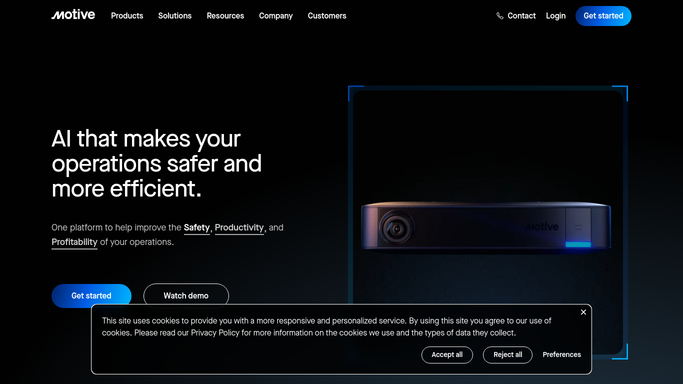

How do I get automatic HOS violation alerts from Motive every morning?
WebRun opens Motive every morning, pulls the prior day's HOS logs for every driver, ranks each violation by severity, and posts a prioritized digest to your safety Slack channel. Your safety manager arrives to a ready action list, so violations are addressed before a roadside inspection or CSA review.
- Safety manager sees every HOS violation ranked by severity before the morning shift
- No violation slips through to a roadside inspection unreviewed
- All-clear confirmation posted on violation-free days
Built for trucking carriers · fleet safety managers · owner-operators · private fleets
How is each run configured?
Secure by default
Connect once, stays signed in
WebRun signs in once and keeps each session in a persistent environment, so every run picks up right where it left off.
Every action is checked against this policy before it runs.
Questions, answered
Will it contact drivers directly about violations?
No. WebRun only posts an internal Slack digest to your safety channel. Any driver coaching conversation stays with your safety manager.
Which violation types does it catch?
It captures all violation types Motive logs: 11-hour, 14-hour, 30-minute break, 70/60-hour cycle, and short-haul exceptions, ranked by regulatory severity.
What if there are no violations on a given day?
It still posts a brief all-clear note to the Slack channel so your team knows the check ran and nothing was missed.
Related templates
Put this on autopilot.
Turn it on in minutes - or have our team set it up for you.