Catch fuel card fraud and misuse before it drains your fuel budget
Every morning, WebRun opens Motive, pulls the prior day's GPS location history for each vehicle, compares it against fuel card transaction locations and times, and posts a Slack alert listing any transaction where the vehicle GPS does not match the fuel stop so your ops team can investigate potential misuse.
- No credit card
- Under $0.01 per run
- Cancel anytime
What does WebRun do on every run?
The exact actions WebRun takes, in order - in plain language, so you can adjust anything.
-
WebRun signs in and gets to work
Opens
app.gomotive.comin a real browser with your saved login - no setup, no API keys. -
1
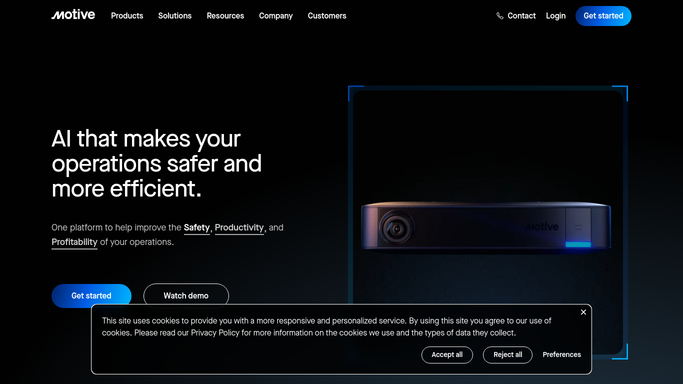
Motive - pull GPS location history by vehicle
gomotive.com How to Automate Motive

WebRun opens Motive to pull GPS location history by vehicle. - Open Motive and pull the prior day's GPS breadcrumb data and stop locations for each vehicle
- For each fuel card transaction loaded into the run, identify the vehicle and transaction time
- Check whether the vehicle's GPS location at the transaction time matches the fuel station location within a configurable radius
- Flag any transaction where the GPS position is more than five miles from the listed fuel station
Done when All fuel card transactions from the prior day are cross-checked against Motive GPS data and anomalies are identified.
-
2
Slack - post fuel card anomaly flags for review
slack.com How to Automate Slack
WebRun opens Slack to post fuel card anomaly flags for review. - Post a list of flagged anomalies to the ops Slack channel with driver name, vehicle, transaction amount, station location, and GPS location at the time
- Label each flag as Location Mismatch with the distance discrepancy noted
- Include an all-clear note if no anomalies were found for the day
Done when Ops team has the day's fuel card anomaly flags in Slack for investigation.

How do I automatically flag fuel card anomalies using Motive GPS data?
WebRun pulls GPS breadcrumb data from Motive every morning and cross-references it against your prior day's fuel card transactions. Any purchase where the vehicle's GPS position does not match the fuel station location is flagged in a Slack alert with the distance discrepancy, so your ops team can investigate misuse before it compounds.
- Location-mismatch fuel transactions are flagged before end of the next business day
- GPS gaps are distinguished from location mismatches for cleaner investigation
- All-clear confirmation posted on days with no anomalies
Built for trucking carriers · fleet operations managers · finance and accounting teams · owner-operators
How is each run configured?
Secure by default
Connect once, stays signed in
WebRun signs in once and keeps each session in a persistent environment, so every run picks up right where it left off.
Every action is checked against this policy before it runs.
Questions, answered
Will it block or dispute fuel card charges automatically?
No. WebRun flags anomalies for your ops team to review. Any dispute or card action is initiated by a human after investigation, since these are financial transactions.
How does it get the fuel card transaction data?
You provide a daily fuel card transaction export or spreadsheet as the input for each run. WebRun then cross-references that data against Motive GPS history.
What if the GPS signal had a gap at the time of the transaction?
If Motive shows no GPS data for that vehicle in a window around the transaction time, WebRun flags it as a GPS Gap rather than a Location Mismatch so your team can distinguish the two.
Related templates
Put this on autopilot.
Turn it on in minutes - or have our team set it up for you.