Flag aging inventory before it eats your margin
Every Monday, WebRun opens Trym, pulls every packaged inventory lot of flower, trim, and biomass, calculates days since harvest for each, logs the full inventory age breakdown to Google Sheets, and posts your sales and cultivation team a Slack alert listing any lot past your freshness threshold.
- No credit card
- Under $0.01 per run
- Cancel anytime
What does WebRun do on every run?
The exact actions WebRun takes, in order - in plain language, so you can adjust anything.
-
WebRun signs in and gets to work
Opens
trym.ioin a real browser with your saved login - no setup, no API keys. -
1
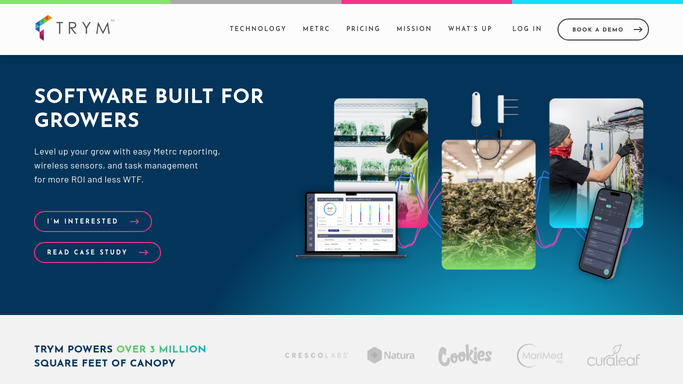
Trym - pull packaged inventory and harvest dates
trym.io How to Automate Trym

WebRun opens Trym to pull packaged inventory and harvest dates. - Open Trym and pull every packaged lot of flower, trim, and biomass currently in inventory
- Calculate days since harvest for each lot using its harvest batch date
- Group lots by product type and room to spot where aging is concentrated
Done when Every packaged lot has its age in days calculated for this week.
-
2
Google Sheets - log the full aging breakdown
google.com How to Automate Google Sheets
WebRun opens Google Sheets to log the full aging breakdown. - Open the Inventory Aging sheet
- Append this week's row per lot with product type, quantity, and days since harvest
- Sort the sheet oldest lot first so the most urgent stock is easy to find
Done when This week's full inventory age breakdown is logged and sorted by age.
-
3
Slack - flag lots past the threshold
slack.com How to Automate Slack
WebRun opens Slack to flag lots past the threshold. - Post an alert listing every lot older than your configured freshness threshold
- Group flagged lots by product type so sales can prioritize what to move first
- Link to the full sheet for the complete inventory breakdown
Done when Your sales and cultivation team has this week's aging alert with a link to the full sheet.


How do I track cannabis inventory aging automatically before it loses value?
WebRun pulls every packaged flower, trim, and biomass lot from Trym each Monday, calculates days since harvest for each, and logs the full breakdown to Google Sheets sorted oldest first. It posts a Slack alert for any lot past your freshness threshold, grouped by product type, so aging stock gets prioritized for sale or rework before it loses value.
- Aging lots get flagged weekly instead of discovered during a physical count
- Sales can prioritize the oldest stock first from one sorted report
- Freshness thresholds match how flower and trim actually move, not a single fixed rule
Built for cultivation sales teams · inventory managers · commercial grow facility owners · wholesale account managers
How is each run configured?
Secure by default
Connect once, stays signed in
WebRun signs in once and keeps each session in a persistent environment, so every run picks up right where it left off.
Every action is checked against this policy before it runs.
Questions, answered
Will it discount or move inventory on its own?
No. WebRun only flags which lots are aging past your threshold. Pricing, discounting, or reworking that inventory into another product stays a decision your sales and cultivation team make.
How is days since harvest calculated?
It uses the harvest batch date already recorded in Trym for each lot, so the age figure reflects when the plant material was actually cut, not just when it was packaged.
Can the freshness threshold be different for flower versus trim?
Yes. The threshold is configured per product type in your run settings, so flower and trim can each have their own aging window that matches how you actually sell them.
Related templates
Put this on autopilot.
Turn it on in minutes - or have our team set it up for you.