Turn every harvest into a yield report
Every morning, WebRun opens Trym, finds any harvest batch closed in the last day, pulls wet weight, dry weight, and trim weight per room and strain, logs the batch to a Google Sheet with yield per plant and per light, and posts your cultivation team a Slack summary comparing it against strain averages.
- No credit card
- Under $0.01 per run
- Cancel anytime
What does WebRun do on every run?
The exact actions WebRun takes, in order - in plain language, so you can adjust anything.
-
WebRun signs in and gets to work
Opens
trym.ioin a real browser with your saved login - no setup, no API keys. -
1
Trym - find closed harvest batches
trym.io How to Automate Trym

WebRun opens Trym to find closed harvest batches. - Open Trym and find any harvest batch closed since yesterday's run
- Pull wet weight, dry weight, and trim weight for each batch
- Capture the strain, room, plant count, and light count tied to the batch
Done when Every newly closed batch has its full weight and strain detail captured.
-
2
Google Sheets - log yield per batch
google.com How to Automate Google Sheets
WebRun opens Google Sheets to log yield per batch. - Open the Harvest Yield Log sheet
- Append a row per batch with yield per plant and yield per light calculated
- Compare the batch yield against the trailing average for that strain
Done when The yield log has a row for every closed batch with its benchmark comparison.
-
3
Slack - summarize yield vs benchmarks
slack.com How to Automate Slack
WebRun opens Slack to summarize yield vs benchmarks. - Post a summary to the cultivation channel for each newly logged batch
- Call out any batch more than 10 percent above or below its strain average
- Link to the full sheet for the room by room breakdown
Done when Your cultivation team has today's yield summary in Slack with outliers flagged.
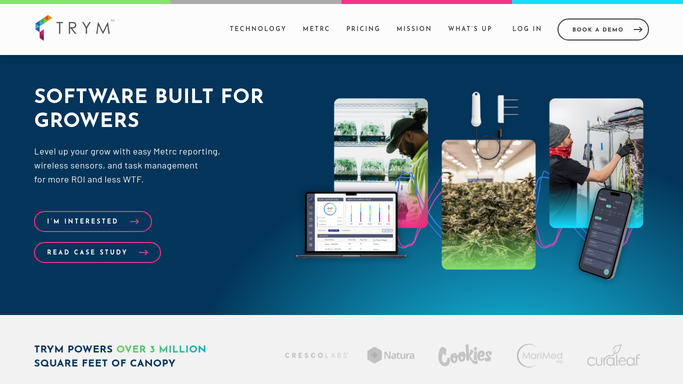


How do I get an automatic yield report every time a cannabis harvest batch closes?
WebRun checks Trym every morning for harvest batches closed since the last run, pulls wet, dry, and trim weight, and logs yield per plant and per light to a Google Sheet. It posts your cultivation team a Slack summary comparing the batch to that strain's trailing average, so yield problems get caught the same day, not at month end.
- Every closed batch gets a yield per plant and per light figure the same morning
- Underperforming batches are flagged against strain averages before month end reporting
- Cultivation team reviews one Slack summary instead of pulling reports by hand
Built for cultivation directors · harvest managers · commercial grow facility owners · crop steering teams
How is each run configured?
Secure by default
Connect once, stays signed in
WebRun signs in once and keeps each session in a persistent environment, so every run picks up right where it left off.
Every action is checked against this policy before it runs.
Questions, answered
Does it change any weights recorded in Trym?
No. WebRun only reads the weights your team already logged in Trym. Every gram entered still comes from your scale and your staff.
How does it calculate yield per light?
It divides the batch's dry weight by the light count tied to that room in Trym, so you get a comparable figure across rooms with different canopy sizes.
What counts as a strain average?
It's the trailing average dry yield per plant for that same strain across your last several closed batches, recalculated automatically as new harvests come in.
Related templates
Put this on autopilot.
Turn it on in minutes - or have our team set it up for you.