Put cabin and group rosters in every counselor's hands before sessions start
Every morning during the session window, WebRun opens CampBrain, pulls the latest cabin and group assignments including any last-minute changes, logs them to a running Google Sheet, and posts a clean roster digest to your staff Slack channel.
- No credit card
- Under $0.01 per run
- Cancel anytime
What does WebRun do on every run?
The exact actions WebRun takes, in order - in plain language, so you can adjust anything.
-
WebRun signs in and gets to work
Opens
app.campbrain.comin a real browser with your saved login - no setup, no API keys. -
1
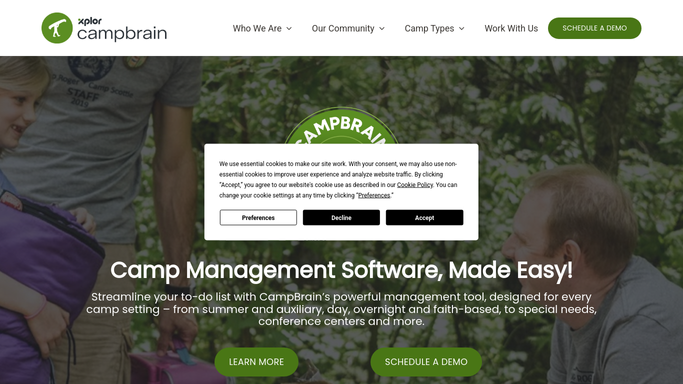
CampBrain - pull cabin and group assignments
campbrain.com

WebRun opens CampBrain to pull cabin and group assignments. - Open CampBrain and navigate to the current session's group and cabin assignments
- Capture each cabin or group name, the assigned counselors, and the list of enrolled campers
- Note any assignment changes since the previous run so counselors know what is new
Done when Every cabin and group assignment is captured with counselor names and camper lists.
-
2
Google Sheets - log roster to running session sheet
google.com How to Automate Google Sheets
WebRun opens Google Sheets to log roster to running session sheet. - Open the session roster Google Sheet and update each cabin tab with the latest assignments
- Add a timestamp column to show when each row was last updated
- Flag any rows that changed since the previous run with a note
Done when The session roster Sheet reflects today's assignments with change flags.
-
3
Slack - post roster digest to staff channel
slack.com How to Automate Slack
WebRun opens Slack to post roster digest to staff channel. - Post a formatted roster digest to your staff Slack channel showing cabin names, counselors, and camper counts
- Highlight any assignment changes since yesterday so counselors know what shifted
- Include a link to the full Google Sheet for counselors who need the complete list
Done when Staff have today's cabin roster digest in Slack with a link to the full Sheet.


How do I automatically share cabin roster assignments with camp staff?
WebRun opens CampBrain every morning, pulls the latest cabin and group assignments for the current session, and logs them to a Google Sheet. It then posts a clean roster digest to your staff Slack channel highlighting any assignment changes, so every counselor starts the day with accurate cabin information and no manual work required.
- Counselors see accurate cabin assignments in Slack before every session day
- Last-minute assignment changes are flagged automatically, not discovered at check-in
- No staff member needs to log in to CampBrain to find their cabin list
Built for camp operations directors · program coordinators · camp counselors
How is each run configured?
Secure by default
Connect once, stays signed in
WebRun signs in once and keeps each session in a persistent environment, so every run picks up right where it left off.
Every action is checked against this policy before it runs.
Questions, answered
Does it update counselors when a camper is reassigned mid-session?
Yes. WebRun reads live assignments from CampBrain each morning and flags any changes since the previous run in both the Slack digest and the Google Sheet, so counselors always see what shifted.
Can counselors access the full roster without opening CampBrain?
Yes. The daily Slack digest shows cabin names, counselors, and camper counts at a glance. For the full details, a link in the Slack post takes them directly to the session's Google Sheet.
Does this share any private camper information outside CampBrain?
It shares only the assignment data needed for operations: cabin name, counselor names, and camper first names or IDs. Sensitive health or contact details remain in CampBrain and are not included in the digest.
Related templates
Put this on autopilot.
Turn it on in minutes - or have our team set it up for you.