Have a personal thank you ready for every supporter
When a new supporter comes through on Buy Me a Coffee, WebRun reads their name, the amount, whether it was a one-off or a membership, and the message they left, drafts a personal thank you in Twilio quoting what they wrote, and opens a Trello card until you send it.
- No credit card
- Under $0.01 per run
- Cancel anytime
How do I thank every new supporter without writing from scratch?
When a new supporter pays on Buy Me a Coffee, WebRun reads their name, amount, tier, and the message they left, then drafts a personal thank you in Twilio that quotes what they wrote. The draft waits on a Trello card for you to edit and send, so nothing goes out unapproved.
- Every supporter gets a note that quotes what they actually wrote
- No thank you is written from a blank page
- Nothing reaches a supporter until you approve the draft
Built for creators · writers · podcasters · indie makers
What does WebRun do on every run?
The exact actions WebRun takes, in order - in plain language, so you can adjust anything.
-
WebRun signs in and gets to work
Opens
buymeacoffee.comin a real browser with your saved login - no setup, no API keys. -
1
Buy Me a Coffee - read the new supporter
buymeacoffee.com
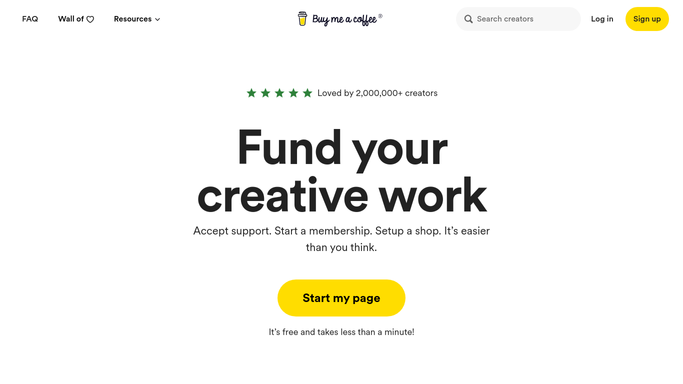
WebRun opens Buy Me a Coffee to read the new supporter. - Open Buy Me a Coffee and read the new supporter's name and amount
- Note whether it is a one-off support, a membership, or an extra they bought
- Capture the message they left and whether they have supported you before
Done when The new supporter is captured with their amount and their message.
-
2
Twilio - draft the personal thank you
twilio.com How to Automate Twilio

WebRun opens Twilio to draft the personal thank you. - Draft a short thank you in your voice that quotes a line from their message
- Mention the membership tier or extra by name when there is one, and note returning supporters
- Leave the message queued as a draft. WebRun never sends it until you approve
Done when A personal thank you is drafted and waiting for your approval.
-
3
Trello - track it until you send
trello.com How to Automate Trello

WebRun opens Trello to track it until you send. - Open a card per supporter on the thank you board with their name and amount
- Put the drafted text in the card so you can edit it before sending
- Move the card to done once the thank you has gone out
Done when Every new supporter has a card with a draft attached.
How is each run configured?
Secure by default
Connect once, stays signed in
WebRun signs in once and keeps each session in a persistent environment, so every run picks up right where it left off.
Every action is checked against this policy before it runs.
Questions, answered
Will it message supporters without me?
No. Every thank you is left as a draft in Twilio and copied onto a Trello card. It only reaches the supporter after you have read it and approved the send.
How personal is the draft really?
It quotes a line from the message the supporter left and names the membership tier or extra they bought, so you are editing a specific note rather than writing from a blank page.
What about supporters who leave no message?
The draft thanks them by name and references the amount or tier instead, and the Trello card marks it as no message so you know to add a line of your own.
Related templates
Put this on autopilot.
Turn it on in minutes - or have our team set it up for you.