Keep your Built In employer profile current and complete
Every Monday, WebRun opens your Built In employer profile, checks the tech stack, perks and benefits, office locations, and description against the roles you currently have posted, opens a Trello card for every thin or outdated section, and drafts the summary in Gmail for you to send.
- No credit card
- Under $0.01 per run
- Cancel anytime
How do I keep my Built In employer profile up to date?
Every Monday WebRun opens your Built In employer profile, checks the tech stack, perks and benefits, office locations, and description against the roles you currently have posted. It opens a Trello card for every gap and drafts the summary email in Gmail, so candidates always read a current page.
- Profile gaps are caught weekly instead of at the next hiring push
- Every gap arrives as a Trello card with the role it affects
- The profile stays aligned with the jobs actually posted
Built for recruiting leads · talent acquisition teams · employer brand managers · tech startups
What does WebRun do on every run?
The exact actions WebRun takes, in order - in plain language, so you can adjust anything.
-
WebRun signs in and gets to work
Opens
www.builtin.comin a real browser with your saved login - no setup, no API keys. -
1
Built In - audit the employer profile
builtin.com
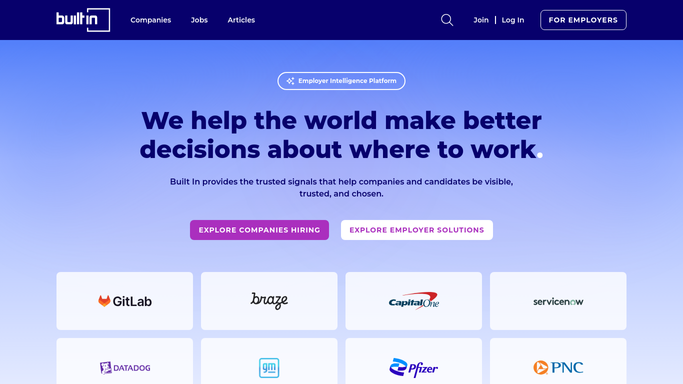
WebRun opens Built In to audit the employer profile. - Open your Built In company profile and read every section
- Check the tech stack, perks and benefits, office locations, and company description for anything missing or out of date
- Compare the profile against your live job listings and note skills or locations the roles mention but the profile does not
Done when Every profile section has been checked against the roles currently posted.
-
2
Trello - open a card per gap
trello.com How to Automate Trello

WebRun opens Trello to open a card per gap. - Open one card per gap on your employer-brand board
- Write what is missing, which section it belongs to, and which posted role it affects
- Close cards for sections that have since been filled in
Done when Every profile gap has a card and every fixed gap is closed.
-
3
Gmail - draft the summary for review
gmail.com How to Automate Gmail

WebRun opens Gmail to draft the summary for review. - Draft an email to your recruiting lead with the week's findings, biggest gaps first
- Link each finding to its Trello card
- Leave the email as a draft. WebRun never sends it, so you decide what goes out
Done when A summary email is sitting in drafts, ready for you to review and send.
How is each run configured?
Secure by default
Connect once, stays signed in
WebRun signs in once and keeps each session in a persistent environment, so every run picks up right where it left off.
Every action is checked against this policy before it runs.
Questions, answered
Will it edit my Built In profile?
No. WebRun reads the profile and reports gaps. It never edits a section, uploads a photo, or publishes a change. Every edit stays with your recruiting team.
Does it email anyone on its own?
No. The summary is left as an unsent Gmail draft for you to read, adjust, and send. Nothing reaches your recruiting lead or a candidate without you clicking send.
How does it decide a section is thin?
It compares each section against your live job listings, so a role asking for skills, perks, or locations that the profile never mentions is what marks that section as thin.
Related templates
Put this on autopilot.
Turn it on in minutes - or have our team set it up for you.