Catch workload usage before it turns into overages
Every morning, WebRun opens Bubble, reads the workload units used so far this billing cycle against what your plan includes, projects where the cycle ends at the current rate, drafts a Gmail note to your developer when it lands over, and posts the burn rate to Slack.
- No credit card
- Under $0.01 per run
- Cancel anytime
How do I track Bubble workload usage before I hit an overage?
WebRun opens Bubble every morning, reads the workload units used so far this billing cycle against what your plan includes, and projects where the cycle ends at the current rate. It posts the burn rate and heaviest workflows to Slack and drafts a Gmail warning to your developer when the projection goes over.
- Overage risk shows up days into the cycle, not on the invoice
- The heaviest workflows are named so optimisation has a starting point
- The team sees the burn rate every morning without opening Bubble
Built for Bubble app owners · no-code builders · startup founders · agencies building on Bubble
What does WebRun do on every run?
The exact actions WebRun takes, in order - in plain language, so you can adjust anything.
-
WebRun signs in and gets to work
Opens
bubble.ioin a real browser with your saved login - no setup, no API keys. -
1
Bubble - read workload usage this cycle
bubble.io
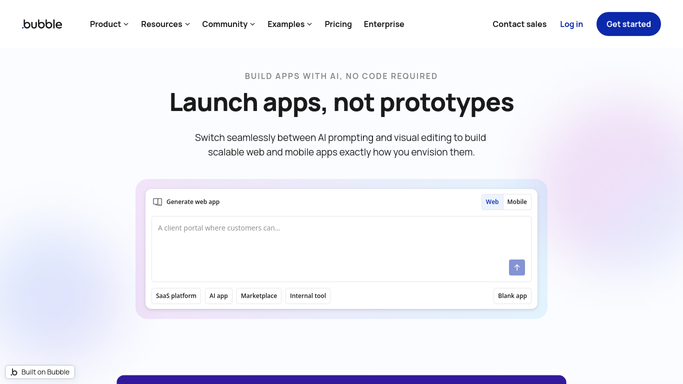
WebRun opens Bubble to read workload usage this cycle. - Open Bubble and go to the workload usage view for each app you own
- Read the units consumed so far this billing cycle and what the plan includes
- Note how many days of the cycle have passed and project the end of cycle total at the current rate
- Capture the workflows and pages consuming the most units
- Read only. Never change a plan, buy units, or edit a workflow
Done when This cycle's usage, the plan allowance, and the projected total are known per app.
-
2
Gmail - draft the warning to your developer
gmail.com How to Automate Gmail

WebRun opens Gmail to draft the warning to your developer. - When the projection lands over the plan allowance, draft a note to your developer
- Include the units used, the projection, the days left, and the heaviest workflows
- Leave the email as a draft for you to read and send. Nothing goes out on its own
Done when An overage warning is drafted and waiting whenever the projection goes over.
-
3
Slack - post the burn rate
slack.com How to Automate Slack

WebRun opens Slack to post the burn rate. - Post today's usage, the plan allowance, and the projected end of cycle total
- Show the change since yesterday so a sudden jump is obvious
- List the top consuming workflows so there is somewhere to start
Done when The team channel has today's workload burn rate.
How is each run configured?
Secure by default
Connect once, stays signed in
WebRun signs in once and keeps each session in a persistent environment, so every run picks up right where it left off.
Every action is checked against this policy before it runs.
Questions, answered
Will it change my plan or buy more units?
No. WebRun reads your Bubble usage and reports it. Changing a plan, buying capacity, or editing a workflow is always left to you inside Bubble.
Does it email anyone automatically?
No. The warning to your developer is left as a Gmail draft for you to read and send. Only the internal Slack post goes out on its own.
How early does it warn me?
From the first days of the cycle. WebRun projects the end of cycle total from the rate so far each morning, so a heavy workflow shows up while there is still time to fix it.
Related templates
Put this on autopilot.
Turn it on in minutes - or have our team set it up for you.