Catch multichannel inventory mismatches before you oversell
Every morning, WebRun opens Brightpearl, checks on-hand quantity per SKU against what each connected sales channel is showing, posts a discrepancy digest to Telegram ranked by size of the gap, and sends an urgent text if any mismatch is large enough to risk overselling that SKU.
- No credit card
- Under $0.01 per run
- Cancel anytime
How do I catch inventory mismatches across sales channels?
WebRun checks Brightpearl every morning for on-hand quantity per SKU against what each connected sales channel shows, posts a discrepancy digest to Telegram ranked by gap size, and sends an urgent text if a mismatch risks overselling. This catches a multichannel inventory gap before a customer orders something that is not really in stock.
- Overselling risk gets caught before a customer orders out-of-stock inventory
- Discrepancies are ranked by size instead of read as a flat list
- Only real overselling risk triggers an urgent text
Built for multichannel retailers · Brightpearl users · ecommerce operations teams · inventory managers
What does WebRun do on every run?
The exact actions WebRun takes, in order - in plain language, so you can adjust anything.
-
WebRun signs in and gets to work
Opens
brightpearl.comin a real browser with your saved login - no setup, no API keys. -
1
Brightpearl - check inventory across channels
brightpearl.com
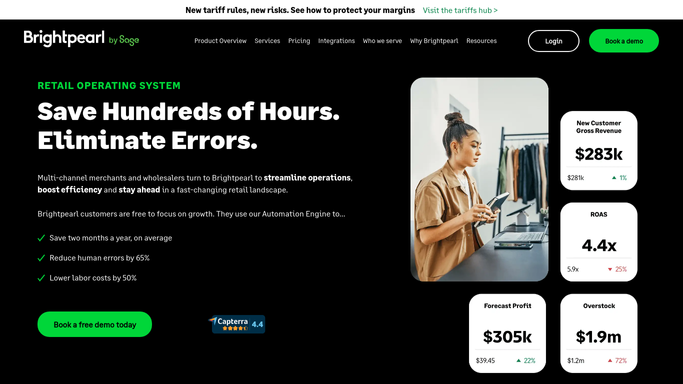
WebRun opens Brightpearl to check inventory across channels. - Open Brightpearl and go to the Inventory dashboard
- Check the on-hand quantity per SKU against what is reflected across connected sales channels
- Flag any SKU where the counts disagree by more than a small margin
Done when Every SKU's inventory is checked across channels, with disagreements flagged.
-
2
Telegram - post the reconciliation digest
telegram.org How to Automate Telegram

WebRun opens Telegram to post the reconciliation digest. - Post a digest of flagged SKUs to the operations Telegram group
- Include the Brightpearl quantity and the channel showing a different count
- Sort by size of the discrepancy, largest first
Done when The operations team has today's inventory discrepancy digest in Telegram.
-
3
Twilio - text an urgent mismatch alert
twilio.com How to Automate Twilio

WebRun opens Twilio to text an urgent mismatch alert. - Send an SMS to the inventory lead if any SKU's discrepancy could lead to overselling
- Include the SKU and the size of the gap
- Skip the text on a day with no overselling risk
Done when An urgent text goes out only when a discrepancy risks overselling a SKU.
How is each run configured?
Secure by default
Connect once, stays signed in
WebRun signs in once and keeps each session in a persistent environment, so every run picks up right where it left off.
Every action is checked against this policy before it runs.
Questions, answered
Will it correct the inventory count automatically?
No. WebRun only compares the numbers and reports a discrepancy. Correcting the count in Brightpearl or on a sales channel is left for the operations team.
What causes a channel mismatch?
It usually means a sale, return, or manual adjustment on one channel has not yet synced back to Brightpearl, which is exactly what the daily check is meant to catch.
How is overselling risk decided?
A discrepancy large enough that the true stock could already be below what channels are actively selling against gets flagged as urgent rather than a routine note.
Related templates
Put this on autopilot.
Turn it on in minutes - or have our team set it up for you.