Back up your Bolt.new projects every night
Every night, WebRun opens Bolt.new, lists the projects that changed today, exports each one, saves a dated copy into a Google Drive backup folder, and sends a Twilio text only if a project fails to export cleanly.
- No credit card
- Under $0.01 per run
- Cancel anytime
How do I keep a backup of my Bolt.new projects automatically?
Every night, WebRun opens Bolt.new, exports each project that changed that day, and saves a dated copy into a Google Drive backup folder that keeps 30 days of history. If a project fails to export, it sends a Twilio text naming it, so a lost session never means lost work with no warning.
- 30 days of recoverable project history sits in Google Drive
- A failed export gets a same-night text instead of going unnoticed
- Backups happen with zero manual exporting
Built for indie developers · no-code founders · small product teams · freelance app builders
What does WebRun do on every run?
The exact actions WebRun takes, in order - in plain language, so you can adjust anything.
-
WebRun signs in and gets to work
Opens
bolt.newin a real browser with your saved login - no setup, no API keys. -
1
Bolt.new - check today's changed projects
bolt.new
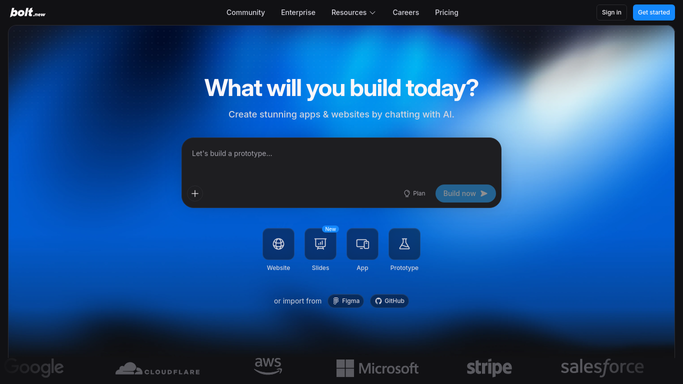
WebRun opens Bolt.new to check today's changed projects. - Open Bolt.new and list projects with changes since the last backup
- Export each changed project's files
- Note any project whose export did not complete
Done when Every changed project today has either exported cleanly or been flagged.
-
2
Google Drive - save a dated backup copy
drive.google.com How to Automate Google Drive

WebRun opens Google Drive to save a dated backup copy. - Open the project backups folder in Google Drive
- Save each export as a new dated copy, keeping prior nights in place
- Remove backup copies older than 30 days to keep the folder manageable
Done when Tonight's exports are saved to Drive alongside the existing backup history.
-
3
Twilio - text on a failed export
twilio.com How to Automate Twilio

WebRun opens Twilio to text on a failed export. - Check whether any project failed to export tonight
- Send a text through Twilio naming the project if one failed
- Stay silent when every project backed up cleanly
Done when A text has gone out only on nights a project failed to back up.
How is each run configured?
Secure by default
Connect once, stays signed in
WebRun signs in once and keeps each session in a persistent environment, so every run picks up right where it left off.
Every action is checked against this policy before it runs.
Questions, answered
Does it change or deploy any of my Bolt.new projects?
No. WebRun only reads and exports project files for backup. Publishing or changing a project stays something you do yourself in Bolt.new.
Will I hear from it every night even when nothing fails?
No. The Twilio text only goes out on a night a project fails to export. Clean backups happen quietly with no message.
How long is backup history kept?
30 days of dated copies stay in the Google Drive folder, so you can recover an earlier version of a project if you need one.
Related templates
Put this on autopilot.
Turn it on in minutes - or have our team set it up for you.