Automated BlueMail Attachment Filing
Every night, WebRun opens each of your BlueMail accounts, finds the messages that arrived today carrying attachments, records the sender, date, file name, and document type in Airtable with a link back to the message, files the message into the right BlueMail folder, and texts you the day's list.
How do I keep track of the documents that arrive as email attachments?
WebRun opens your BlueMail accounts every night and finds the day's messages carrying attachments, recording the sender, date, file name, and document type. It writes a searchable row per attachment into Airtable with a link back to the message, files the mail into the right folder, and texts you the day's list over Twilio.
- Contracts and receipts are findable by sender and date, not by scrolling
- Every account is swept on the same nightly schedule
- The day's documents are known without opening the inbox
Built for freelancers · consultants · small business owners · bookkeepers
What does WebRun do on every run?
The exact actions WebRun takes, in order - in plain language, so you can adjust anything.
-
WebRun signs in and gets to work
Opens
bluemail.mein a real browser with your saved login - no setup, no API keys. -
1
BlueMail - find today's attachments
bluemail.me
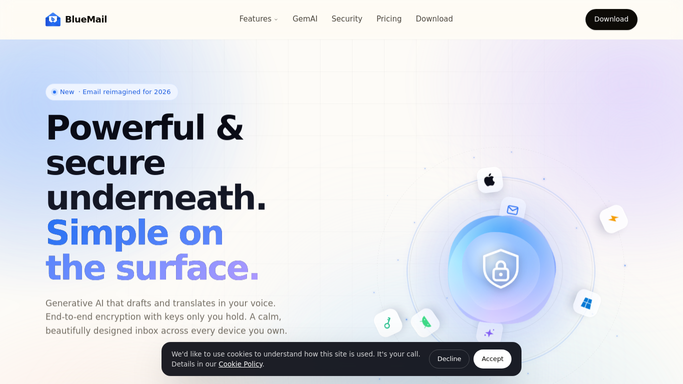
WebRun opens BlueMail to find today's attachments. - Open each BlueMail account you connected and list today's messages with attachments
- Record the sender, the subject, the date, and every attached file name and type
- Read enough of the message to label the document, for example contract, receipt, or invoice
- Move the message into the BlueMail folder that matches its label
Done when Every message with an attachment from today is labelled and filed in BlueMail.
-
2
Airtable - index them by sender and date
airtable.com

WebRun opens Airtable to index them by sender and date. - Add one row per attachment to your documents base in Airtable
- Fill in the sender, the account it arrived on, the date, the file name, and the label
- Include a link back to the original message so the file is one click away
- Skip attachments already indexed on a previous night
Done when Airtable holds a searchable row for every attachment received today.
-
3
Twilio - text the day's list
twilio.com

WebRun opens Twilio to text the day's list. - Text you the count of documents filed today, grouped by label
- Name anything that looks like a contract or an invoice needing action
- Send only to your own number, never to the sender
Done when You know what documents arrived today without opening the inbox.
How is each run configured?
Secure by default
Connect once, stays signed in
WebRun signs in once and keeps each session in a persistent environment, so every run picks up right where it left off.
Every action is checked against this policy before it runs.
Questions, answered
Does it download or re-upload my files?
No. File uploads are blocked by the Strict Lockdown policy. WebRun records each attachment's details and a link back to the message in BlueMail, so the document is one click away without a copy being made.
Will it reply to the sender or delete anything?
No. WebRun never replies, forwards, or deletes. It reads the message, labels it, and moves it into a folder you chose, which is reversible in BlueMail at any time.
Can it handle several BlueMail accounts?
Yes. Connect each account and WebRun walks them all every night, writing the account name on every Airtable row so a client contract is never confused with a personal receipt.
Related templates
Put this on autopilot.
Turn it on in minutes - or have our team set it up for you.