Automated Best Buy Return Window Reminders
Every morning, WebRun opens your Best Buy order history, finds the items already delivered and not yet returned, works out how many days are left on each return window, opens a Trello card for anything closing this week, and drafts the return request in Gmail for a person to send.
How do I keep track of when a return window closes?
Every morning, WebRun opens your Best Buy order history, finds the items that were delivered and not yet returned, and works out how many days are left on each return window. It opens a Trello card for anything closing this week and drafts the return request in Gmail for you to send.
- A wrong part goes back inside the window instead of being written off
- Every delivered item carries a due date two days before its window closes
- The keep or return question reaches the buyer as a draft, never as an automatic email
Built for office managers · IT buyers · small business owners · procurement teams
What does WebRun do on every run?
The exact actions WebRun takes, in order - in plain language, so you can adjust anything.
-
WebRun signs in and gets to work
Opens
bestbuy.comin a real browser with your saved login - no setup, no API keys. -
1
Best Buy - count the days left to return
bestbuy.com
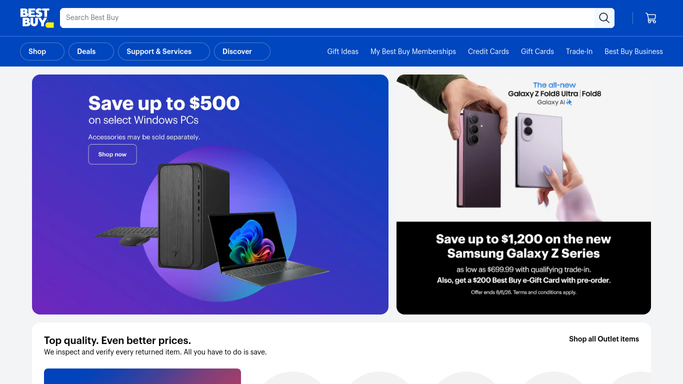
WebRun opens Best Buy to count the days left to return. - Sign in to Best Buy and open your order history
- List the orders marked delivered, with the order date, the delivery date, and each item on them
- Apply the return window that Best Buy shows for each item and work out the days remaining
- Skip items already returned or already marked as keeping in your Trello board
- Read only. WebRun never starts a return, cancels an order, or buys anything
Done when Every delivered item has a days-remaining figure against its return window.
-
2
Gmail - draft the return request
gmail.com

WebRun opens Gmail to draft the return request. - Search the mailbox for the order confirmation and delivery email for each item, to confirm the dates
- For anything with under seven days left, draft an internal note to whoever ordered it asking keep or return
- Include the order number, the item, and the exact date the window closes in the draft
- Leave every message in Drafts. WebRun never emails Best Buy or anyone else on its own
Done when Dates are confirmed from the order emails and a draft is waiting for each item closing soon.
-
3
Trello - track what still has to go back
trello.com

WebRun opens Trello to track what still has to go back. - Keep a card per delivered item on your purchasing board
- Put the order number, the item, the delivery date, and the closing date of the return window in the description
- Set the card due date to two days before the window closes and move it to the urgent list at that point
- Close the card once the item is marked kept or returned
Done when Every delivered item has a card with a due date set before its return window closes.
How is each run configured?
Secure by default
Connect once, stays signed in
WebRun signs in once and keeps each session in a persistent environment, so every run picks up right where it left off.
Every action is checked against this policy before it runs.
Questions, answered
Will it start a return or buy anything?
No. WebRun reads your Best Buy order history and nothing else. Starting a return, cancelling an order, and placing a new one all stay with a person, and no payment details are ever entered.
Will it email anyone?
No. The keep or return note is written into Gmail Drafts and left there. Whoever owns the purchase reads it and sends it, so nothing goes out unreviewed.
How does it know the return window?
It reads the return window Best Buy shows against each item and counts from the delivery date, so different windows on different products are handled separately rather than with one blanket rule.
Related templates
Put this on autopilot.
Turn it on in minutes - or have our team set it up for you.