See each barber's weekly revenue in one Slack report
Every Monday morning, WebRun opens Squire, pulls the prior week's completed appointments and retail sales, calculates total revenue and service count per barber, logs the results to a Google Sheet for tracking, and posts a ranked summary to your Slack channel so you can spot performance trends at a glance.
- No credit card
- Under $0.01 per run
- Cancel anytime
What does WebRun do on every run?
The exact actions WebRun takes, in order - in plain language, so you can adjust anything.
-
WebRun signs in and gets to work
Opens
app.getsquire.comin a real browser with your saved login - no setup, no API keys. -
1
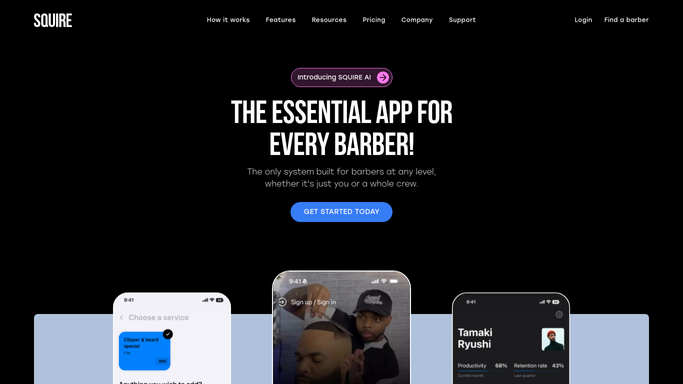
Squire - pull last week's completed appointments and retail sales
getsquire.com How to Automate Squire

WebRun opens Squire to pull last week's completed appointments and retail sales. - Open Squire and filter completed appointments to the prior calendar week (Monday to Sunday)
- Sum the service revenue and retail sales for each barber separately
- Note the total appointment count, average ticket value, and top service per barber
Done when Last week's revenue and service data is compiled for every active barber.
-
2
Google Sheets - log revenue and service counts per barber
google.com How to Automate Google Sheets
WebRun opens Google Sheets to log revenue and service counts per barber. - Open the weekly revenue tracking sheet and append a new row for the current week
- Log each barber's service revenue, retail revenue, total, appointment count, and average ticket
- Update any running totals or charts in the sheet
Done when Last week's data is logged to the Google Sheet for historical tracking.
-
3
Slack - post the ranked weekly summary
slack.com How to Automate Slack
WebRun opens Slack to post the ranked weekly summary. - Post a ranked summary to the owner's Slack channel with each barber's revenue and appointment count
- Highlight the top earner and flag any significant week-over-week changes
- Include the shop's total revenue for the week at the bottom
Done when You have the full weekly revenue breakdown in Slack and the data is saved to the tracking sheet.


How do I automatically get a weekly revenue breakdown by barber from Squire?
WebRun pulls last week's completed appointments and retail sales from Squire every Monday, calculates service and retail revenue per barber, logs the results to a Google Sheet for trend tracking, and posts a ranked summary to Slack. Every Monday you open Slack to a clear picture of each barber's contribution without exporting a single report yourself.
- Every Monday starts with a clear ranked view of each barber's revenue
- Historical data builds automatically in Google Sheets for trend analysis
- No manual exports or spreadsheet work needed to see weekly performance
Built for barbershop owners · multi-chair shops · grooming studio managers · men's salon owners
How is each run configured?
Secure by default
Connect once, stays signed in
WebRun signs in once and keeps each session in a persistent environment, so every run picks up right where it left off.
Every action is checked against this policy before it runs.
Questions, answered
Does this share each barber's numbers with the whole team?
The report goes to whichever Slack channel you choose. Post it to a private owner channel if you want to keep individual earnings confidential, or to the team channel to share rankings openly.
Does it include retail sales or just service revenue?
It includes both service revenue and retail product sales from Squire, giving you a complete picture of each barber's contribution to the shop's weekly total.
Can I see month-to-date or year-to-date totals too?
The data is appended to a Google Sheet each week, so you can build running totals and charts there. Ask WebRun to include a cumulative month-to-date figure in the Slack post as well.
Related templates
Put this on autopilot.
Turn it on in minutes - or have our team set it up for you.