Win back no-shows and late cancellations the same day
Every evening, WebRun checks Squire for today's no-shows and late cancellations, drafts a warm follow-up message for each client with a rebook link, queues the messages in Twilio for your approval, and posts the list to Slack so you can release or edit before anything goes out.
- No credit card
- Under $0.01 per run
- Cancel anytime
What does WebRun do on every run?
The exact actions WebRun takes, in order - in plain language, so you can adjust anything.
-
WebRun signs in and gets to work
Opens
app.getsquire.comin a real browser with your saved login - no setup, no API keys. -
1
Squire - identify no-shows and late cancellations
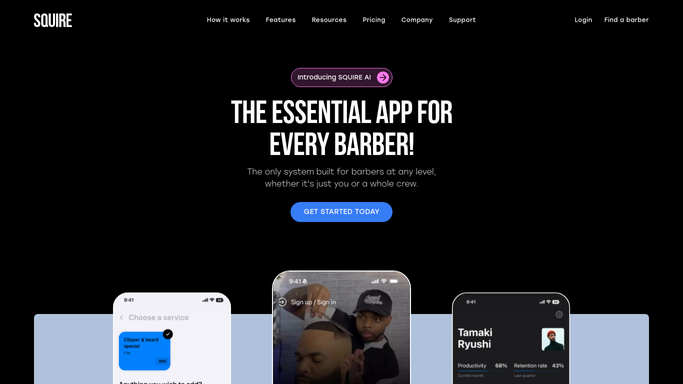
getsquire.com How to Automate Squire

WebRun opens Squire to identify no-shows and late cancellations. - Open Squire and filter today's appointments to no-show and late-cancel statuses
- Note the client name, phone number, original appointment time, and assigned barber
- Skip any client who has already been followed up today or who has a future booking
Done when Every no-show and late cancellation from today is listed with contact details.
-
2
Twilio - draft follow-up messages with rebook links
twilio.com How to Automate Twilio
WebRun opens Twilio to draft follow-up messages with rebook links. - Draft a short, empathetic follow-up SMS for each client acknowledging the missed appointment
- Include a direct rebook link to the shop's Squire booking page
- Queue each message as a draft and do not send without approval
Done when All follow-up messages are drafted in Twilio and held for review.
-
3
Slack - send you the approval queue
slack.com How to Automate Slack
WebRun opens Slack to send you the approval queue. - Post tonight's no-show and late-cancel follow-up queue with client names and message previews
- Flag the total count so you know the scale before approving
Done when You have the approval queue in Slack and can release, edit, or skip individual messages.


How do I automatically follow up with barbershop no-shows and late cancellations?
WebRun checks Squire every evening for that day's no-shows and late cancellations, drafts a warm follow-up SMS with a rebook link for each client via Twilio, and queues the messages in Slack for your approval. Nothing is sent until you sign off, recovering lost revenue without awkward manual calls.
- Missed revenue is chased the same day, before clients book elsewhere
- Tone stays friendly because you review every message first
- Clients with a future booking are never sent a duplicate follow-up
Built for barbershops · barbers · grooming studios · men's salons
How is each run configured?
Secure by default
Connect once, stays signed in
WebRun signs in once and keeps each session in a persistent environment, so every run picks up right where it left off.
Every action is checked against this policy before it runs.
Questions, answered
Will it send the follow-up without my review?
No. Every message is queued in Slack for your approval first. Nothing goes out until you release the batch, so you can soften the tone or skip a client entirely.
How does it tell a no-show from a late cancellation?
It reads the appointment status directly from Squire, which records both no-show and late-cancel flags so each case is handled with the right message.
What if the client already rebooked before the follow-up goes out?
It checks for a future Squire booking before drafting the message, so anyone who rebooked themselves is skipped automatically.
Related templates
Put this on autopilot.
Turn it on in minutes - or have our team set it up for you.