Build your bail agency reputation by requesting reviews after successful bonds
Every morning, WebRun opens Captira and identifies bonds that were discharged in the past 7 days with a positive outcome, drafts a thank-you and review request email for the indemnitor via Gmail, logs every draft to a Google Sheet, and holds all messages for agent review before any email is sent.
- No credit card
- Under $0.01 per run
- Cancel anytime
What does WebRun do on every run?
The exact actions WebRun takes, in order - in plain language, so you can adjust anything.
-
WebRun signs in and gets to work
Opens
app.captira.com/loginin a real browser with your saved login - no setup, no API keys. -
1
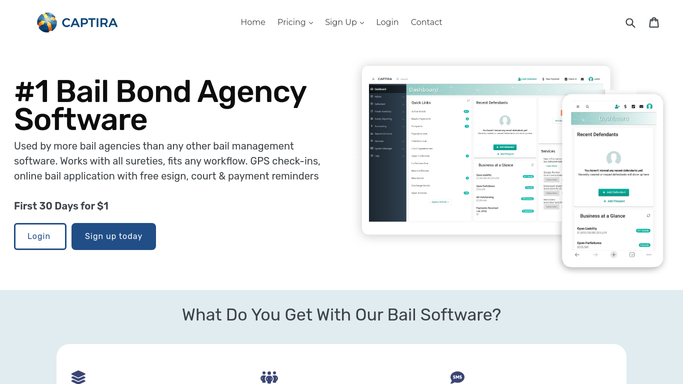
Captira - find recently discharged bonds with positive outcomes
captira.com How to Automate Captira

WebRun opens Captira to find recently discharged bonds with positive outcomes. - Open Captira and filter bond records for those discharged in the past 7 days
- Select bonds where the defendant appeared at all court dates and the bond was exonerated cleanly
- Capture the indemnitor name and email address for each eligible bond
- Exclude bonds involving forfeiture, surrender, or any legal dispute from the review request list
Done when A list of indemnitors from cleanly discharged bonds in the past 7 days is ready for review request drafts.
-
2
Google Sheets - log review request drafts
google.com How to Automate Google Sheets
WebRun opens Google Sheets to log review request drafts. - Open the Review Request Log sheet
- Append each eligible indemnitor as a row with their name, email, defendant name, discharge date, and draft status
- Set status to Draft - Awaiting Agent Review
- Mark any indemnitor who was already sent a review request in the past 12 months to avoid duplication
Done when All eligible indemnitors are logged in the tracker with their draft status and no duplicates.
-
3
Gmail - draft review request emails for agent review
gmail.com How to Automate Gmail
WebRun opens Gmail to draft review request emails for agent review. - Draft a short, warm thank-you and review request email for each eligible indemnitor
- Include a direct link to your agency's Google Business Profile review page
- Save each email as a Gmail draft for agent review - do not send any message without approval
- Do not reference sensitive case details beyond the fact that the bond was successfully resolved
Done when A Gmail review request draft is ready for every eligible indemnitor, all held for agent approval before sending.


How do I automatically request reviews from clients after a successful bail bond?
WebRun checks Captira every morning for bonds discharged cleanly in the past 7 days, drafts a thank-you and Google review request email for each eligible indemnitor via Gmail, and logs every draft to a Google Sheet. Agents review and approve each email before it is sent, and the log prevents duplicate requests.
- Every cleanly discharged bond automatically produces a review request draft for the agent to approve
- No indemnitor receives a duplicate review request within 12 months
- Bonds involving disputes or forfeitures are never selected, protecting the agency's professionalism
Built for bail bond agency owners · bail bondsmen · bail agency marketing managers · surety agents
How is each run configured?
Secure by default
Connect once, stays signed in
WebRun signs in once and keeps each session in a persistent environment, so every run picks up right where it left off.
Every action is checked against this policy before it runs.
Questions, answered
Will it send review request emails to indemnitors without my approval?
No. Every review request is drafted and saved to Gmail for your agent to review and approve before it is sent. No email reaches an indemnitor without explicit human sign-off.
How does it know which bonds had a positive enough outcome to warrant a review request?
WebRun selects bonds that were exonerated cleanly after the defendant appeared at all court dates. Bonds involving forfeiture, surrender, or disputes are automatically excluded from the list.
Will it send a review request to the same indemnitor twice?
No. The Google Sheet log tracks who has been sent a request in the past 12 months. Any indemnitor already contacted is skipped on subsequent runs to avoid repeat solicitation.
Related templates
Put this on autopilot.
Turn it on in minutes - or have our team set it up for you.