Chase overdue payment plan installments for your bail agency
Every morning, WebRun opens Captira to identify defendants whose indemnitors have a payment plan installment overdue, cross-checks the outstanding balance in QuickBooks, drafts a courteous reminder for each overdue account, and posts a prioritized chase list to your agency Slack channel so agents know who to contact first.
- No credit card
- Under $0.01 per run
- Cancel anytime
What does WebRun do on every run?
The exact actions WebRun takes, in order - in plain language, so you can adjust anything.
-
WebRun signs in and gets to work
Opens
app.captira.com/loginin a real browser with your saved login - no setup, no API keys. -
1
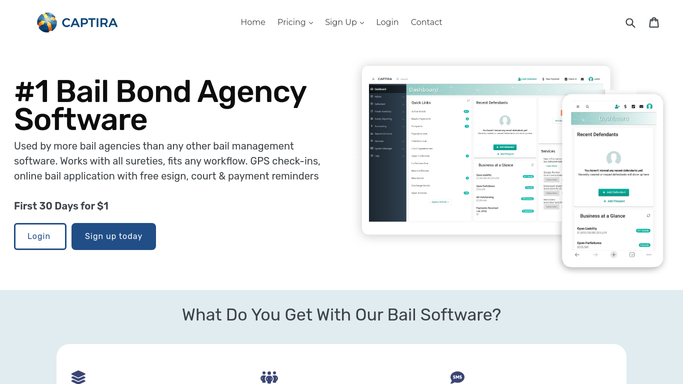
Captira - identify overdue payment installments
captira.com How to Automate Captira

WebRun opens Captira to identify overdue payment installments. - Open Captira and navigate to payment plans
- Filter for installments that are past their due date and remain unpaid
- Capture the indemnitor name, phone number, bond amount, amount overdue, and days past due for each
- Note defendants with active court dates within 14 days as highest priority accounts
Done when Every overdue payment plan installment is listed with indemnitor contact details and days past due.
-
2
QuickBooks - confirm outstanding balances
- Open QuickBooks and pull the accounts receivable aging report
- Match each overdue Captira account to its QuickBooks record and confirm the outstanding balance
- Note total receivables by aging bucket: 1 to 30 days, 31 to 60 days, and over 60 days
- Flag accounts over 60 days for manager review before any reminder is sent
Done when Balances are confirmed in QuickBooks and accounts are sorted by aging bucket.
-
3
Slack - post prioritized chase list
slack.com How to Automate Slack
WebRun opens Slack to post prioritized chase list. - Post a prioritized chase list to the agency Slack channel with overdue accounts sorted by days past due
- Include indemnitor name, phone, amount owed, and days overdue for each entry
- Note which reminder drafts are ready for agent review and which accounts need a manager call for older balances
- Post a summary total of outstanding receivables for the manager
Done when The team has a Slack chase list with all overdue installments ranked by priority and total receivables in view.

How do I automatically chase overdue bail bond payment plan installments?
WebRun checks Captira and QuickBooks every morning for overdue bail bond payment installments, confirms each outstanding balance, drafts a courteous reminder for agent approval, and posts a prioritized Slack chase list so your team always knows who to contact and how much is owed.
- Agents start every morning with a ranked list of overdue accounts sorted by days past due
- Confirmed QuickBooks balances eliminate manual cross-referencing for every chase call
- Accounts over 60 days are escalated to managers before they become write-offs
Built for bail bond agency owners · bail bond bookkeepers · bail agency office managers · surety agents
How is each run configured?
Secure by default
Connect once, stays signed in
WebRun signs in once and keeps each session in a persistent environment, so every run picks up right where it left off.
Every action is checked against this policy before it runs.
Questions, answered
Will it send reminders to indemnitors automatically?
No. WebRun drafts the reminders and presents them for your agent to review and approve before any message is sent to an indemnitor. The Slack chase list is for internal use only.
How does it handle indemnitors who paid after the last run?
WebRun reads live payment plan status from Captira and QuickBooks each morning, so any account that has since paid is removed from the chase list automatically on the next run.
What happens to accounts that are more than 60 days overdue?
Accounts over 60 days past due are flagged separately in the Slack digest for direct manager review rather than a standard reminder draft, since those typically need a personal call or escalation.
Related templates
Put this on autopilot.
Turn it on in minutes - or have our team set it up for you.